Índice do artigofaltam 11 min de leitura
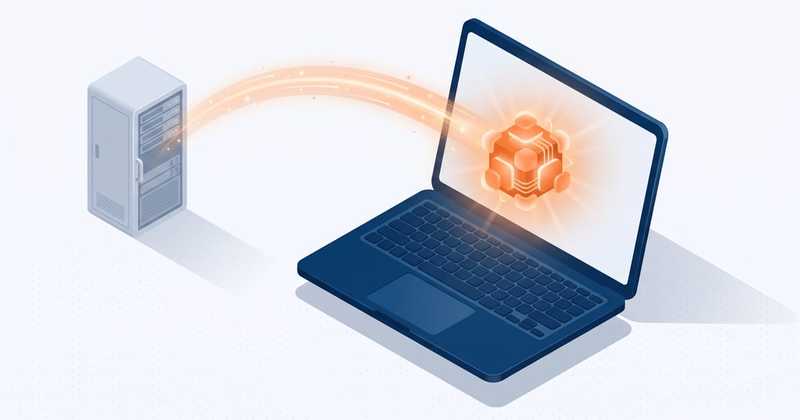
Running AI in the browser stopped being a demo six years ago. What changed in 2026 was the path: PyTorch started compiling straight to the web, with no intermediary. What did not change is who pays the bill, which is still the user's machine.
There is an old conversation about client-side inference that usually gets stuck at the same point: someone shows an LLM answering inside a browser tab, the audience is impressed, and the next question shuts it down. Works on whose laptop?
This article answers that question with numbers. It brings together what already runs in production with a large user base, shows what the PyTorch ecosystem gained this year, and ends with the hardware floor that decides whether your application can count on it or not.
Article summary
- Google Meet's background effect has run on the client since 2020, with a 400 KB model and 70 frames per second on a 2018 laptop.
- ExecuTorch gained a WebGPU backend that compiles the same PyTorch graph for the browser via Emscripten, with an official benchmark from July 2026.
- The browser delivers 71% to 80% of the decoding performance of native inference on the same machine, according to the WebLLM paper.
- According to Chrome telemetry, 31% of Windows users do not have a GPU at the level WebGPU requires, which makes a CPU path mandatory as plan B.
AI in the browser is already production, and the oldest case is six years old
Google Meet's background blur effect runs entirely on the user's computer, and it is one of the few cases where the company published the whole pipeline, with architecture, model size and measured latency. The Google Research team published the full pipeline in 2020: a segmentation model with 193,000 parameters, 400 KB after float16 quantization, running in WebAssembly with SIMD and composited on screen via WebGL2.
The performance numbers explain why it survived in production. Inference is not the bottleneck, and the old machine still keeps up.
Source: Google Research, "Background Features in Google Meet, Powered by Web ML", October 30, 2020. The resolutions cited in the study, 256x144 and 160x96, are the model input, not the video resolution.
A clarification that often gets lost in retelling: what stays on the client is the processing of the effect, not the video. In a call, the stream naturally travels to the other participants. What the design avoids is a second trip, sending each frame to an inference server and waiting for the mask to come back.
Meet is not alone. In a 2024 Google I/O post, the Chrome team lists Adobe's Photoshop for the web, which it explicitly attributes to TensorFlow.js, along with YouTube's augmented reality effects and Google Photos editing as real uses of heavy computation on the client.
ExecuTorch now compiles PyTorch straight to the browser
ExecuTorch, PyTorch's local inference runtime, gained a WebGPU backend that turns delegated subgraphs into WGSL shaders and runs them via Dawn with the Tint compiler. The official documentation is direct about the target: browser builds compile the same execution path with Emscripten and emdawnwebgpu.
The architectural detail that matters is the absence of translation. The same .pte file exported from PyTorch feeds both the native runtime, which goes down to Metal or Vulkan, and the browser runtime compiled to WebAssembly. There is no conversion to a third-party format along the way.
The benchmark published in the repository measures a 1 billion parameter Llama 3.2 at 4 bits, and shows the behavior everyone who works with LLMs recognizes: speed drops as the context grows.
Dropping from 188 to 96 tokens per second as the context goes from 128 to 8,192 is a drop of almost half, and it needs to be part of the interface design. An assistant that accumulates a long history gets visibly slower over the session, and the user will blame your product.
The benchmark applies to an M4 Pro on Chrome Canary, not to your users' devices
The README itself notes three limits: the numbers describe that artifact and that device, the backend is declared under active development, and more than a hundred registered operators do not guarantee that an arbitrary model runs end to end. Ignoring them is the fastest way to promise what you cannot deliver.
An Apple M4 Pro on Chrome Canary is the top of what exists in laptops, and Canary is not your user's browser. Treating this number as a floor instead of a ceiling is the mistake that turns a proof of concept into a production incident.
Three paths take a PyTorch model to the user's tab
The three paths are Microsoft's ONNX Runtime Web, Hugging Face's transformers.js and ExecuTorch's WebGPU backend. The choice between them is less about performance and more about how much of the ecosystem you want to bring along: the first two have measured adoption on the npm registry, and the third is still declared by the project as under active development.
| Criterion | ONNX Runtime Web | transformers.js | ExecuTorch WebGPU |
|---|---|---|---|
| How the model gets there | Export to ONNX | Ready-made models from the Hub | .pte file from PyTorch itself |
| Maintained by | Microsoft | Hugging Face | Meta, within PyTorch |
| npm downloads per week | 7.54 M | 4.80 M | Not distributed via npm |
| Stable version on November 11, 2026 | 1.31.1, Oct 2026 | 4.3.2, Oct 2026 | Declared under active development |
| Best when | You already have an ONNX pipeline | You want the model working today | You want the same graph in the app and on the web |
Sources: npm registry, downloads for the week of November 3 to 9, 2026 and versions checked on November 11, 2026 (in the original research, for the week of August 23 to 29, they were 4.28 M and 2.82 M); official documentation of each project, read on August 30, 2026 and reviewed on November 11, 2026.
transformers.js requires the fewest upfront decisions: it pulls models straight from the Hugging Face Hub and handles the export for you. Version 4, from March 2026, replaced the WebGPU runtime with a C++ reimplementation built together with the ONNX Runtime team, and started running models that previously did not fit. The release cites a 20 billion parameter GPT-OSS at about 60 tokens per second on an M4 Pro Max.
ExecuTorch occupies a different place. It only really wins when you already maintain the same model inside an app and want the same thing on the web without maintaining two exports. That case is real and is exactly the subject of the companion article on ExecuTorch in apps.
The browser costs between 20% and 30% of performance
The browser delivers between 71% and 80% of the decoding performance of the same engine running natively, and that is measured. The WebLLM paper compared the browser engine against the same runtime running natively on the same machine, a MacBook Pro M3 Max, with 4-bit models.
Retaining 71% to 80% of native performance is a good result, and at the same time it is a loss that has to be justified by something else. Nobody chooses the browser because it is faster. They choose it because inference cost goes to zero, because there is no network trip in between, and because the user's data does not leave their device. If none of these three reasons applies to your case, the server is the answer.
WebGPU reached all four browsers, but not in the same places
GPU access from JavaScript is what separates "runs a small model on the CPU" from "runs an LLM". Chrome and Edge have shipped stable WebGPU since version 113, and on Android since 121. The other two arrived later, and the rollout came in stages.
-
Firefox joins, Windows only
First release of the API in the stable channel, restricted to one platform.
-
Apple completes the set
WebGPU on iOS, iPadOS, visionOS and macOS. The WebKit post cites transformers.js and ONNX Runtime working well.
-
macOS, Apple Silicon only
Macs with Intel processors were not included in any of the following stages.
-
The remaining macOS versions
Support extended to all macOS versions still maintained, always on Apple Silicon.
-
Service workers
The API now works outside the main thread. Linux still has no support.
Sources: Firefox 141, 145, 147 and 148 release notes; WebKit post on Safari 26.0; Chrome platform documentation. Read on August 30, 2026, reviewed on November 11, 2026.
The situation has not changed since then. In the November 11, 2026 review, with Firefox 159 on the stable channel, MDN's compatibility data still lists Linux and Intel Macs without WebGPU, and the two Bugzilla tickets for enabling it on those platforms remain open. Firefox for Android is also still left out.
Two practical takeaways follow. The first is that "Firefox supports WebGPU" is a sentence that only makes sense with the platform attached. The second is that the specification is still a Candidate Recommendation Draft at the W3C, in the September 15, 2026 version, which means the contract may change before it becomes a final recommendation.
A third of Chrome users on Windows lack the required GPU
Thirty-one percent of Chrome users on Windows do not have Direct3D at the level WebGPU requires, according to telemetry published by Google itself. The number appeared in the justification for a more restricted compatibility mode, and it is what decides whether your application can count on the GPU.
Source: WebGPU Compatibility Mode Intent to Ship, blink-dev mailing list, January 2026 thread. The criterion is Direct3D feature level 11.1 or higher on Windows and Vulkan 1.1 on Android. The Windows figure is Chrome telemetry; the Android figure comes from the platform dashboards.
Almost a third of Chrome's Windows base left out means WebGPU cannot be a requirement; it has to be an optional speed-up. The design that survives this number detects the capability, uses the GPU when it exists, and falls back to WebAssembly on the CPU when it does not, with a smaller model and lower expectations. That was exactly Google Meet's design, years before WebGPU reached the stable channel.
The limit that breaks LLMs in the browser is the buffer, not memory
The constraint that brings down large models is not the machine's total memory, it is the maximum size of a single block of GPU memory. The WebGPU specification guarantees very little: any implementation only needs to support 256 MiB per buffer and 128 MiB per storage binding. The weights of a serious model do not fit in that without being split.
Worse: the application does not find out how much memory the GPU really has. Chrome rounds the reported limits to fixed tiers, and your code only learns which tier it landed in.
| Tier in Chrome | Largest storage buffer binding |
|---|---|
| Compatibility and tier 0 | 128 MiB, the minimum guaranteed by the specification |
| Tier 1 | 256 MiB |
| Tier 2 | 512 MiB |
| Tier 3 | 1 GiB, where a quantized LLM starts to be comfortable |
| Tiers 4 and 5 | 2 GiB and 4 GiB, high-end hardware |
Source: Dawn's Limits.cpp, Chrome's WebGPU implementation, read on August 22, 2026. The code itself notes that the tiers are provisional until there are better metrics.
The effect shows up in the code of those who have already faced the problem. The runtime behind WebLLM requests a 1 GiB buffer, accepts degrading to 256 MB, and gives up with an error if the device does not offer 32 KiB of shared memory per workgroup or ten storage buffers per stage. Those last two have no plan B: either the device has them, or the user gets a message asking them to switch browsers.
On Safari the math is different, and tighter on phones: on iOS the buffer is a third of the capacity reported by Metal, with a floor of 256 MiB and a ceiling of 1 GiB. A model that runs on your Mac may simply not load on the user's iPhone.
Where running on the client really wins
Four patterns account for the cases that worked, and they have one thing in common: the model is small, the gain is immediate and the server alternative would be expensive or slow.
- Continuous media processing: background blur, background removal, camera filters, where sending each frame to the server is not viable.
- Features the browser already embeds: Chrome and Edge expose translation and language detection with a local model, without you distributing any weights.
- Data that should not leave the device: drafts, personal documents, content being edited before the user decides to publish.
- Very high-volume, low-unit-value features, where server inference would cost more than the feature delivers.
The second item deserves attention because it is the lowest effort. Chrome has had stable translation with a local model since version 138, and Edge brought translation and language detection to the stable channel in version 148, with more than 145 languages. There is no weight download on your side and no runtime choice. One limitation needs to be stated: in Chrome these APIs work on desktop, not on mobile, and a corporate policy can disable the model download on managed machines.
Where it is still the server
Three situations argue against the client, and none of them improves with better hardware.
A large model with predictable answers. If the product promises a specific answer quality, you cannot depend on the device of whoever opened the page. The same question will get a different answer for someone who landed on tier 0 and someone who landed on tier 3.
A first visit that needs to be fast. The weights must be downloaded before the first inference, and that is on the order of hundreds of megabytes for any useful language model. Caching solves the second visit, not the first.
Logic you do not want to publish. Everything that runs on the client can be read by the client, including the weights and the system prompt. If the product's intelligence lives there, it is exposed.
How to decide on your project
The decision becomes objective when you answer four questions before choosing a runtime.
- What percentage of your audience is on Windows or older Android? That number is the size of your plan B, not an exception.
- How many megabytes does the model you need take? If it is more than a few hundred, the download becomes part of the experience and needs to be designed.
- Is there a privacy or cost reason not to use a server? If neither exists, the server delivers more predictability.
- Do you already maintain this model inside an app? If so, the ExecuTorch path avoids maintaining two exports of the same graph.
The most common mistake is not choosing the wrong runtime. It is treating client-side inference as a substitute for the server, when it works much better as a front layer: it solves the common case quickly and for free, and calls the server when the case is hard or when the device cannot cope.
Sources and method
The research for this article was done on August 30, 2026, using primary sources. ExecuTorch's WebGPU backend, including benchmark, architecture and caveats, comes from the README.md in the backends/webgpu directory of the pytorch/executorch repository, with commit dates checked through the GitHub API. Platform limits come from the W3C WebGPU specification, Dawn's Limits.cpp and WebKit's HardwareCapabilities.mm, read directly in the code. Adoption numbers come from the npm registry: in the original research, the week of August 23 to 29, 2026; in the November 11 review, the week of November 3 to 9, 2026, which is what appears in the table.
The production cases come from the companies' own engineering blogs: Google Research for Meet, Chrome for Developers for the built-in APIs and the product list, and the Microsoft Edge blog. The browser versus native comparison comes from the WebLLM paper, published on arXiv under identifier 2412.15803. The WebGPU support timeline comes from the Firefox 141, 145, 147 and 148 release notes, the WebKit post on Safari 26.0 and Chrome's platform documentation.
On November 11, 2026 the article was reviewed: npm versions and downloads were updated from the registry, Firefox support was rechecked in MDN's compatibility data, Mozilla's Bugzilla and the release notes up to version 159, the specification status was checked at the W3C, and the ExecuTorch README was reread, still with the same benchmark and the same active development notice.
No performance tests were run by X-Apps for this article, and no in-house measurements are presented. All products and projects cited are external, with no commercial relationship with X-Apps.
Frequently asked questions
Yes, in three ways: export to ONNX and use ONNX Runtime Web, use Hugging Face's transformers.js, or use ExecuTorch's WebGPU backend, which compiles the same graph to WebAssembly.
No. The WebLLM paper measures between 71% and 80% of native decoding throughput on the same machine. The browser's advantage is zero inference cost, latency without a network hop and data that never leaves the device.
It is the API that gives JavaScript access to the GPU for computation, not just for drawing. Without it, inference is limited to the CPU via WebAssembly, which rules out larger models.
The four main ones already ship it, but not everywhere. As of November 2026, Firefox had not yet enabled it on Linux, Intel Macs or Android, and the specification remains a Candidate Recommendation Draft at the W3C.
The maximum GPU buffer size. The specification guarantees only 256 MiB per buffer, and the weights of a large model do not fit in that without being split.
According to Chrome's own telemetry, 31% of Windows users do not have Direct3D at the required level, and 23% of Android users do not have Vulkan 1.1, according to the Android dashboards.