

Índice do artigofaltam 9 min de leitura
Almost every system needs to send emails: sign-up confirmation, password reset, invoices, notifications and campaigns. SendGrid, from Twilio, is one of the most widely used services in the world for this, and it is common for the developer or software house to ask the client for a SendGrid account at the start of the project.
The problem is that most guides online teach a flow that no longer exists. Sign-up has changed, the free-forever plan ended in 2025 and team access now follows Twilio's rules. This guide shows the current path: create the account in the company's name, set up the essentials and give access to X-Apps or to the developer without handing over a password, verification code or credit card.
The SendGrid account, billing and domain must belong to the company. The developer gets a teammate invitation with restricted access or a minimum-scope API key, never the account owner's login. If the vendor changes in the future, you revoke their access in minutes, without losing your sending history or your domain's reputation.
This guide was reviewed on July 29, 2026. Screens, menu names, plans and prices change often; confirm the sensitive points in the official links listed at the end.
Quick official access:
- Sign-up: signup.sendgrid.com
- Login (via Twilio): twilio.com
- SendGrid documentation: twilio.com/docs/sendgrid
- Email API pricing: twilio.com/en-us/products/email-api/pricing
What this guide will help you do
By following these steps, your company will be able to:
- create the right SendGrid account, with ownership and billing in the company's name;
- understand the current relationship between SendGrid and Twilio at sign-up and login;
- know what changed in the plans in 2025 and 2026 and how much each tier costs;
- get through email and phone verification and the compliance review;
- authenticate the company's domain with the correct DNS records;
- meet Gmail, Yahoo and Outlook requirements so you do not land in spam;
- invite the developer as a teammate with the least access that is enough;
- generate a restricted API key only when there is a technical need;
- store secrets in a safe place and revoke access when you change vendors.
Before you start: gather this information
- A corporate email that will be the account owner (avoid an employee's or the vendor's personal email).
- Access to that email to confirm sign-up.
- A trusted mobile phone belonging to the person in charge, for SMS verification and 2FA.
- A safe place to store the Recovery Code that sign-up shows only once.
- Company details: name, website, country and phone.
- An international credit card for the paid plan (billing is in dollars).
- Access to the domain's DNS manager (for example Registro.br, the registry for .br domains; Cloudflare; or your hosting provider) or the contact of the person in charge of IT.
- The email of the developer or of X-Apps that will receive the access invitation.
SendGrid, Twilio, Email API and Marketing Campaigns are not the same thing
Before the steps, it helps to sort out the names, because sign-up and billing happen at different layers.
| Item | What it is for | Critical point |
|---|---|---|
| SendGrid | Twilio's email sending platform. | The website and documentation now live inside twilio.com. |
| Twilio Login | Unified login used by all new SendGrid accounts. | Email, password and 2FA are managed in the Twilio Console, not in SendGrid. |
| SendGrid Console | Dashboard for sending, API keys, domain and teammates. | Accessed through the Product Switcher (grid icon) inside Twilio. |
| Email API | Product for transactional emails sent by the system. | This is what the developer integrates into the app; it has its own plans and prices. |
| Marketing Campaigns | Product for campaigns, lists and marketing automations. | Billed separately from the Email API; do not confuse the two plans. |
For a software project, what the developer usually needs is the Email API. Marketing Campaigns only comes in if the company will also send campaigns through the platform.
Warning: the free-forever plan is over
If you searched for "free SendGrid" and found articles promising 100 emails a day forever, that information is outdated. Twilio ended SendGrid's free plans in 2025. The current model, confirmed in the official documentation:
- 60-day trial: new accounts start in a free trial period, with up to 100 emails a day, without a credit card. You can authenticate a domain, create API keys and test the integration.
- End of the trial: without an upgrade, sending stops completely. The upgrade is done in Settings, Account Details, Your Products.
- Paid Email API plans (July 2026 prices, billed in dollars): Essentials from US$ 19.95/month, Pro from US$ 89.95/month (includes a dedicated IP and subusers) and Premier on request.
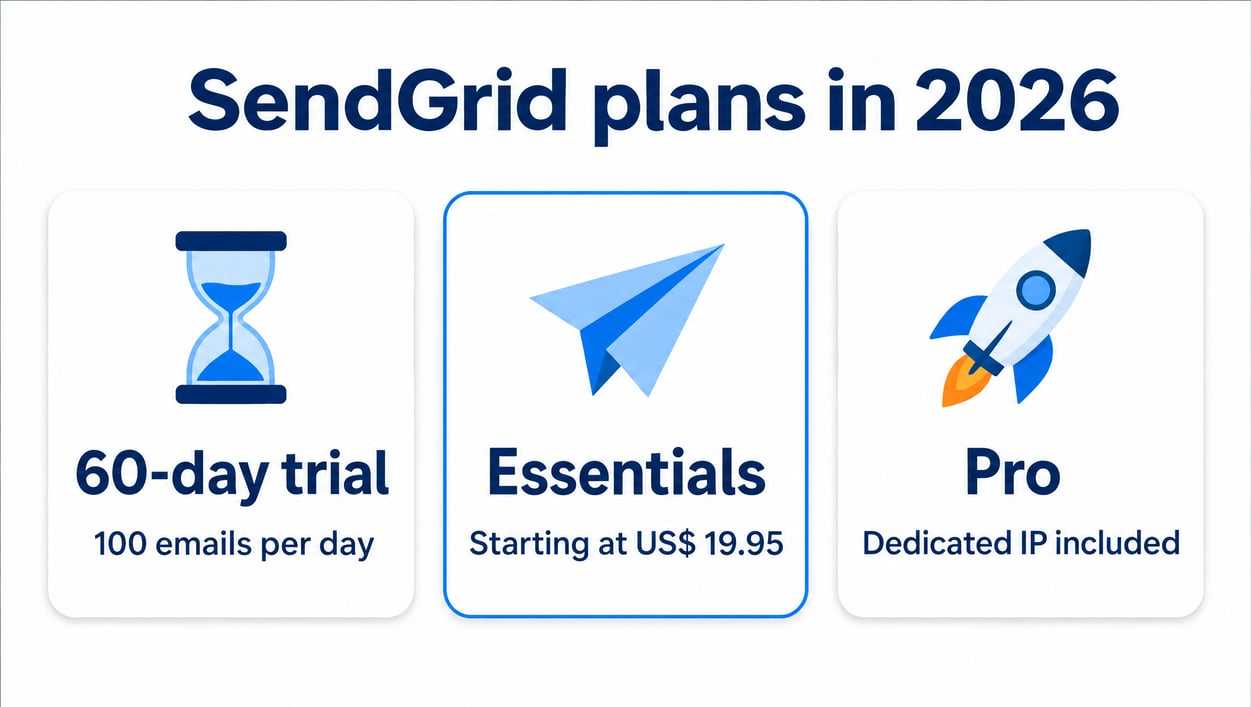
Two points catch companies outside the US by surprise: billing is in dollars, so the real cost varies with the exchange rate, and the trial does not prominently warn you when it ends. Schedule the upgrade decision before the 60 days so the system does not stop sending emails in production. To put this cost in the context of the project's total budget, see the guide on recurring costs of an app.
Step by step: create the account
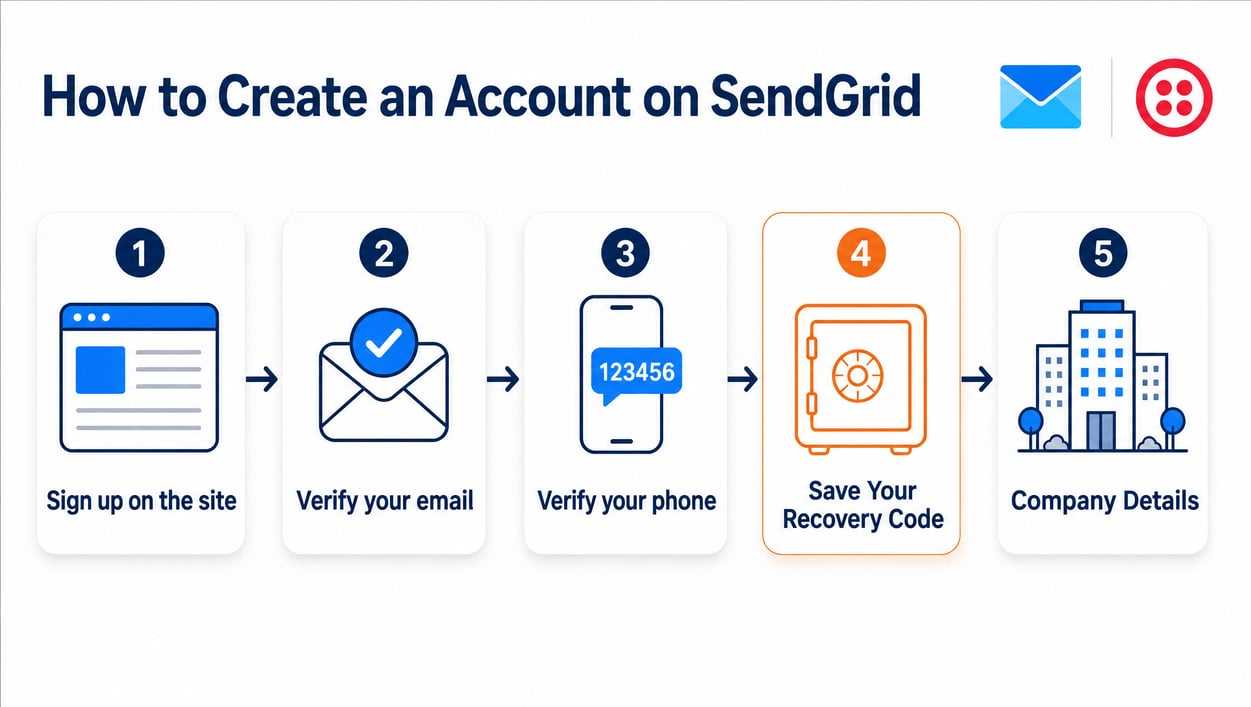
- Go to sign-up at signup.sendgrid.com and click Start for Free. The flow today is Twilio's unified login.
- Fill in the form with name, the company's corporate email and a strong password.
- Confirm the email. Twilio sends a verification code; enter it on the "Let's get your email verified" screen.
- Verify the phone by SMS or voice call. This number becomes part of the account's security.
- Store the Recovery Code. It is shown only once and is what recovers the account if the owner loses access to 2FA. Save it in a corporate password vault, not as a screenshot on WhatsApp.
- Enter the company details: name, website, country and phone.
- Open the SendGrid Console. Login happens at twilio.com; use the Product Switcher (grid icon at the top) and choose SendGrid.
The account may go through a review
Newly created accounts go through a Twilio compliance check and may start with the status "Under Review". During this period, sends are queued and expire if the account is not released. If you receive an email from the compliance team asking about the company and the intended use, answer with real and complete information: that is the fastest path to release. Vague details or a website that is down at sign-up are what most often block new accounts.
Authenticate the domain before sending any important email
SendGrid offers two levels of sender identity:
- Single Sender Verification: verifies an individual address through a confirmation email. It works for quick tests, but senders on free providers (Gmail, for example) tend to fail recipients' DMARC checks.
- Domain Authentication: authenticates the company's domain via DNS. It is the recommended method for production and what ensures emails go out "on behalf of" your domain, with valid SPF and DKIM.
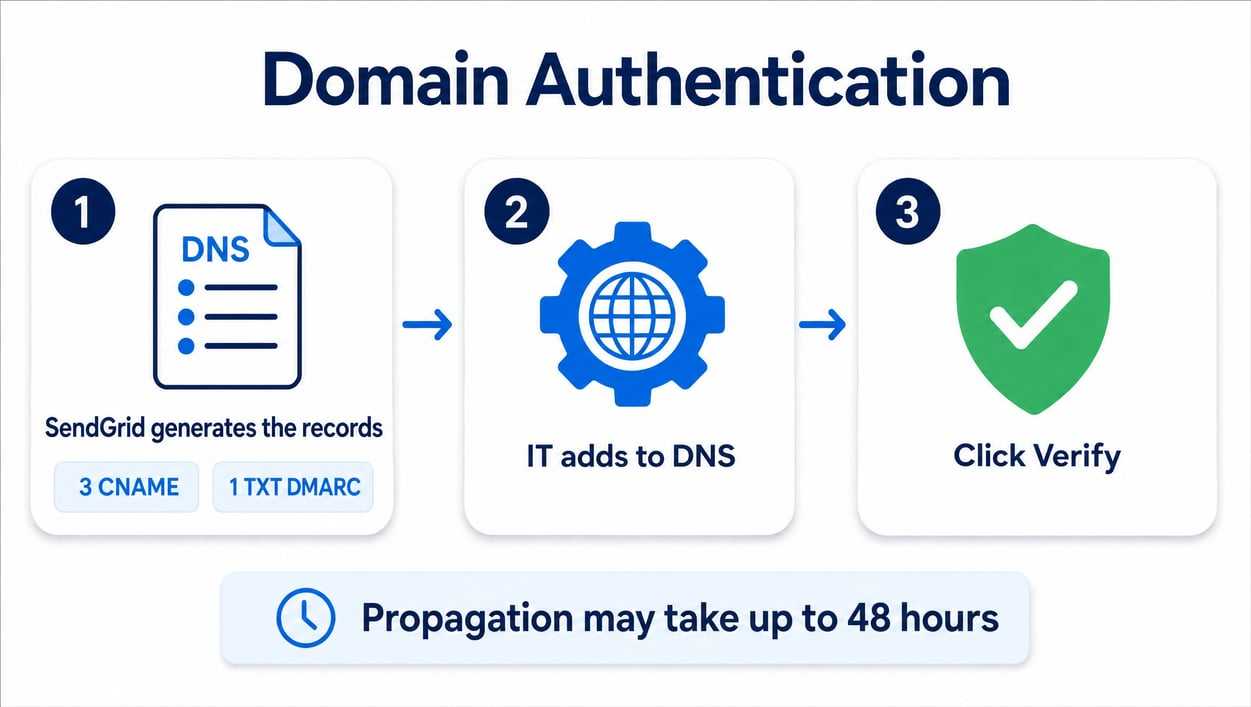
The path in the console: Settings → Sender Authentication → Domain Authentication → Get Started. SendGrid generates the DNS records; with the Automated Security option on (the default), there are 3 CNAME records plus 1 DMARC TXT record.
Whoever manages the domain's DNS is the one who adds these records. If you do not have that access, the flow itself has a Send To A Coworker button, which emails the records to the person in charge of IT without giving them a SendGrid login. Once they are added, go back to the screen and click Verify; validation can take up to 48 hours. If you need to understand DNS basics first, see the guide on DNS pointing.
Why this is no longer optional
Since 2024, Gmail and Yahoo have required SPF and DKIM from any bulk sender, and since May 2025 Outlook has rejected high-volume senders without aligned SPF, DKIM and DMARC. In practice: an unauthenticated domain means email in spam or rejected. The minimum DMARC record (p=none) already comes out of the SendGrid flow; ask the developer to tighten the policy once sending stabilizes.
How to give the developer access
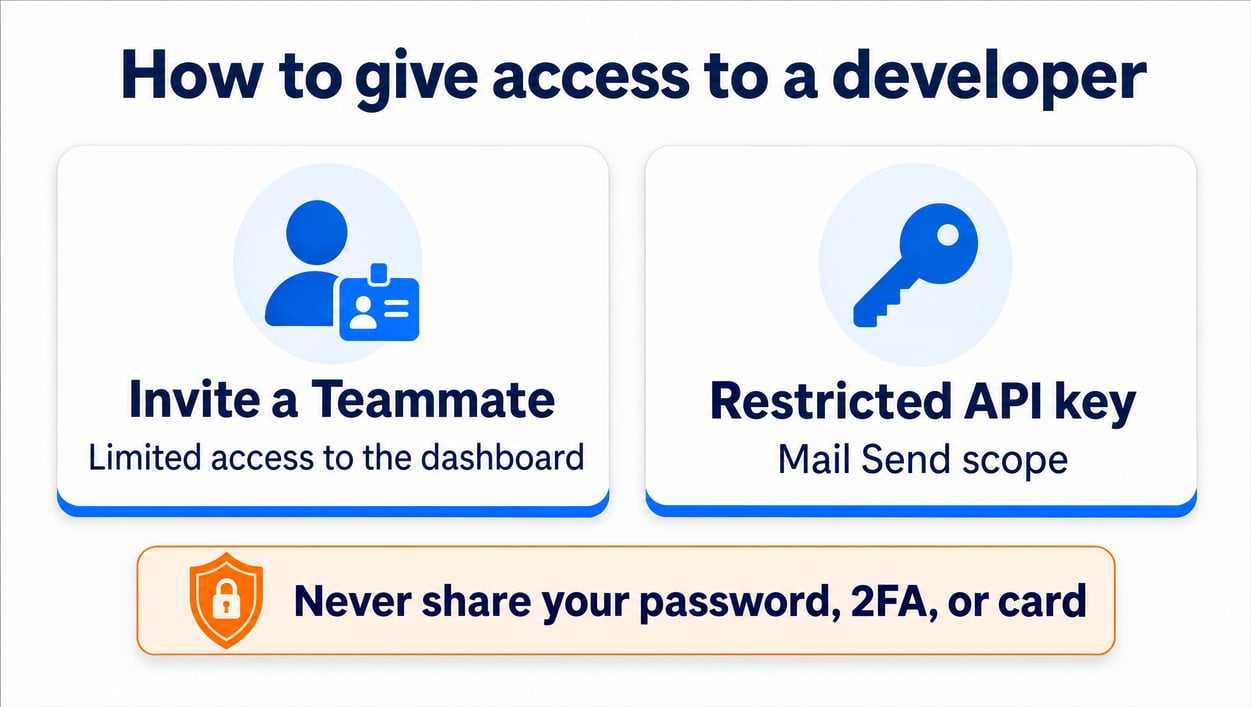
This is the most important part of the guide, and the one most tutorials skip. There are two safe paths, which can be combined:
Option A: teammate invitation (platform access)
Use it when the developer needs to log into the console: configure the domain, templates, webhooks, check sending activity.
The path: Settings → Teammates → Add Teammate. Enter the developer's email and choose the access level:
- Admin: full access, including billing. Grant it only if essential.
- Restricted Access: you tick exactly what the person can see and edit (API Keys, Mail Settings, Templates, Webhooks, Domain Authentication, etc.), with ready-made presets such as Developer.
- Read-only: view only.
The invitation expires in 7 days. The developer creates their own password and sets up their own 2FA at first login: at no point is the owner's password shared.
A plan limit that changes the strategy: trial and Essentials allow only 1 teammate; Pro and Premier allow up to 1,000. On entry-level plans, that single invitation should go to the developer or software house in charge.
Option B: restricted API key (system access)
Use it for the application to send emails. The path: Settings → API Keys → Create API Key. The types:
- Full Access: avoid it; it gives control over almost the whole account.
- Restricted Access (the current documentation calls it Custom Access): choose the permissions. For sending emails, the minimum scope is Mail Send, and that is what the application needs.
- Billing Access: only for financial integrations, rare.
Twilio's own golden rules: the key is shown only once after Create & View and cannot be retrieved later; store it in an environment variable or a secrets vault, never in a repository, spreadsheet or WhatsApp; create one key per environment (separate production and staging); rotate at least every quarter and delete unused keys.
What to send the developer (and what never to send)
| Send | Never send |
|---|---|
| Teammate invitation with restricted access | Account password |
| Restricted API key, through a secure and ephemeral channel | 2FA code or device |
| DNS records (or the Send To A Coworker email to IT) | Recovery Code |
| Name of the authenticated domain and default sender | Credit card details |
With 2FA active, the SendGrid API no longer even accepts username and password: every integration uses an API key. Sharing the owner's password is not just insecure, it is useless to the developer.
Extra security worth knowing about
- 2FA has been mandatory on SendGrid since the end of 2020, by SMS or authenticator app. On new accounts, the setting lives in the Twilio Console. Prefer an authenticator app over SMS.
- IP Access Management (Settings → IP Access Management) restricts access to the account and the API to a list of IPs. Powerful, but careful: removing your own IP locks the account and recovery requires support.
- Signed Event Webhook: if the system will receive delivery events, ask the developer to turn on signing (Signed Event Webhook) and validate the signature header, to avoid forged events.
- Subusers (Pro and Premier plans) create separate sending environments, with their own reputation and statistics, for example transactional versus marketing. Do not confuse them with teammates: a subuser is an environment, a teammate is a person.
Offboarding: when you change vendors
The advantage of having done everything right shows up on the day the vendor changes:
- Remove the old teammate in Settings → Teammates.
- Delete the old vendor's API keys and create new ones for the new team.
- Review Sender Authentication and webhooks pointing to the vendor's systems.
- Confirm that billing and ownership remain on the company's email.
The authenticated domain, sending reputation and history remain intact, because the account was always yours.
Common mistakes this guide avoids
- Creating the account on the developer's or agency's personal email.
- Believing in the free-forever plan and only finding out the trial has ended when the system stops sending in production.
- Sharing password and 2FA over WhatsApp instead of a teammate invitation.
- Generating a Full Access API key because "it's easier" and leaking it in a repository.
- Sending production emails without authenticating the domain and landing in Gmail and Outlook spam.
- Losing the Recovery Code and depending on support to recover the account.
Frequently asked questions about the SendGrid account
Is SendGrid free?
Not anymore. For new accounts, there is only a 60-day trial with up to 100 emails a day. After that, without a paid plan, sending stops. The old permanent free plan was discontinued in 2025.
How much does SendGrid cost in 2026?
The Email API starts at US$ 19.95/month (Essentials) and the Pro plan, with a dedicated IP, at US$ 89.95/month. Marketing Campaigns is billed separately. Billing is in dollars; confirm current prices on the official pricing page.
Do I need a Twilio account to use SendGrid?
The new sign-up already creates your login through Twilio's unified system. Email, password and 2FA live in the Twilio Console, and the SendGrid dashboard is accessed through the Product Switcher inside twilio.com.
What is the difference between Email API and Marketing Campaigns?
The Email API is for emails sent by your system (transactional); Marketing Campaigns is for campaigns and lists. They are products with separate plans and billing.
How do I give the developer access without sharing my password?
Invite them as a teammate with restricted access (Settings → Teammates) or hand over a restricted API key with the Mail Send scope. In both cases they never need your password, your 2FA or your card.
How many teammates does my plan allow?
Trial and Essentials allow 1 teammate; Pro and Premier, up to 1,000. On an entry-level plan, use the single invitation for the developer in charge.
Does the API key disappear after I close the screen?
Yes. It is shown only once after creation. If it is lost, the way forward is to create another and delete the old one, which is also the recommended rotation practice.
What are the CNAME records SendGrid asks for?
They are your domain's authentication (SPF and DKIM), together with a DMARC TXT record. Whoever manages the DNS adds the records; the Send To A Coworker button emails everything to IT without giving access to the account.
My emails are landing in spam. What should I check first?
An authenticated domain (valid SPF and DKIM), a published DMARC record and a sender using the company's domain, not Gmail or Hotmail. Gmail, Yahoo and Outlook tightened these requirements between 2024 and 2025.
Can I use the same account for several systems?
Yes, with one API key per system and environment. In larger operations (Pro plan), subusers separate reputation and statistics by sending flow.
Conclusion
Creating the SendGrid account is quick; creating it the right way is what avoids headaches: ownership and billing in the company's name, the domain authenticated before the first important send, the developer with restricted and revocable access, and secrets kept as secrets. The same principle applies to the other accounts in your project, and it is detailed in the guides for AWS, Google Play Console, Apple Developer and OpenAI Platform.
Need help setting up email sending for your system?
X-Apps integrates SendGrid and other email providers into apps, systems and automations: domain authentication, templates, delivery webhooks and monitoring, with governance and security from the first access.
Official sources and documentation
- How to Create a SendGrid Account - SendGrid Support
- Twilio SendGrid Trial Account Plan - SendGrid Support
- Changes coming to SendGrid's Free Plan - Twilio Changelog
- Email API Pricing - Twilio SendGrid
- Twilio Login Overview - SendGrid Docs
- Teammates - SendGrid Docs
- Teammate Permissions - SendGrid Docs
- API Keys - SendGrid Docs
- How to Set Up Domain Authentication - SendGrid Docs
- Sender Verification - SendGrid Docs
- Two-Factor Authentication - SendGrid Docs
- Secure Your Account - SendGrid Docs


