
Índice do artigofaltam 3 min de leitura
AI costs do not explode "out of nowhere".
They explode when you go to production without limits, without cache and without routing.
LLM applications have a variable cost that is scary for two reasons:
- it grows with usage (which is good, but it must be predictable)
- it has outliers (one user can generate the cost of 1,000 users)
This guide brings together practical strategies to cut costs without killing quality.

What you will find here
- The main cost drivers (what really adds up)
- How to reduce tokens without making the answer worse
- Cache: exact and semantic (when to use each)
- Model routing (small vs large)
- Budgets and rate limits per user/tenant
- A final checklist to control the budget
Cost drivers (what costs the most)
Cost usually comes from a combination of:
- input tokens (prompt + history + RAG context)
- output tokens (answers that are too long)
- number of calls (retries, tools, multiple steps)
- "large" models used for everything
- no cache
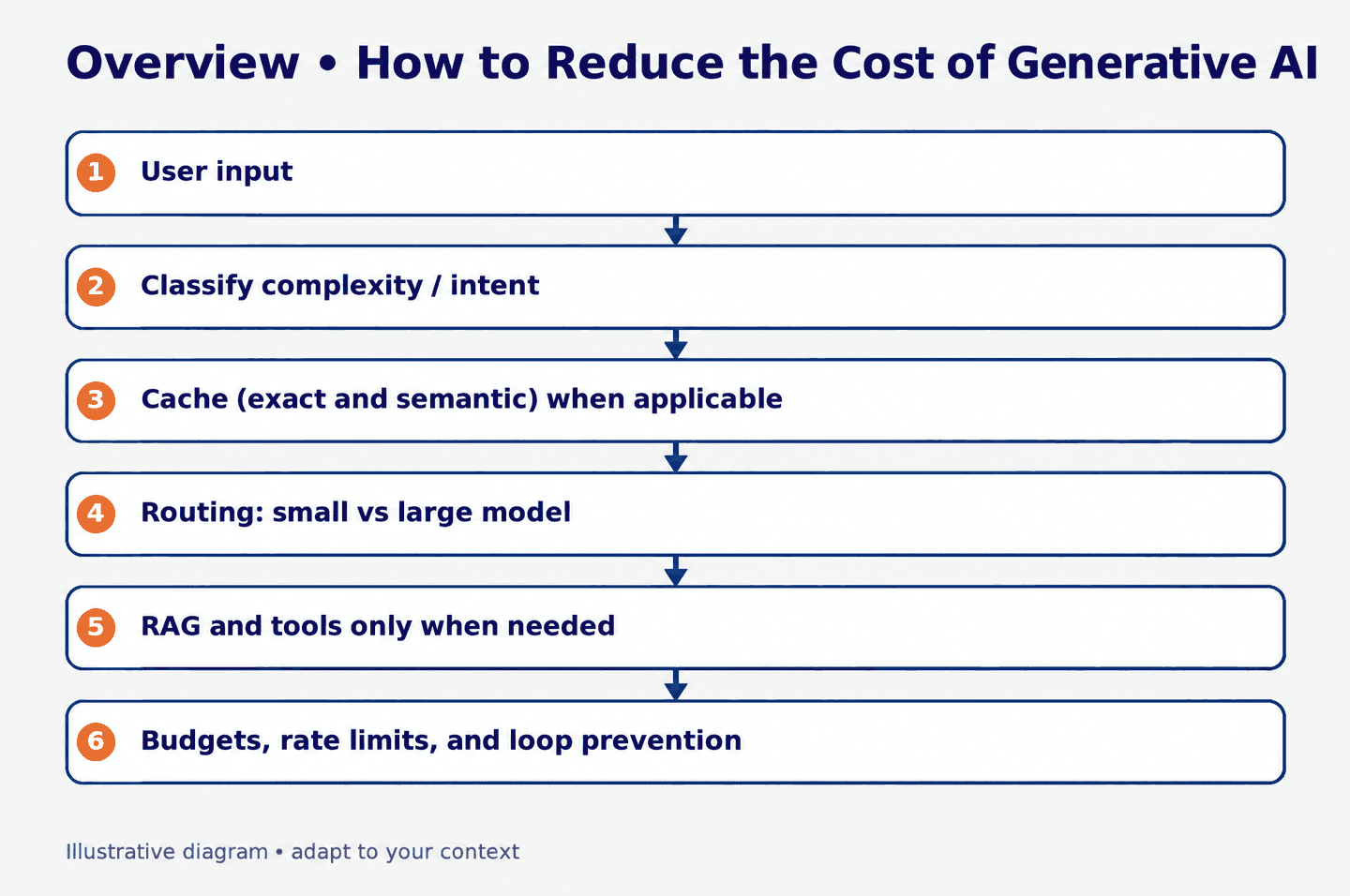
1) Reduce input tokens (without losing context)
The biggest lever is usually context.
Good practices:
- do not send the whole history: summarize it and keep structured state
- avoid the "encyclopedia prompt": keep fixed instructions separate and lean
- in RAG, use a few high-quality chunks (with reranking)
- apply size limits to user input (and handle huge messages)
If you have not structured RAG yet, it is worth reading: RAG in practice.
2) Control output tokens (a short answer is a feature)
Long answers cost more and hurt UX.
Simple techniques:
- set a "maximum of X lines" for standard answers
- use formats: lists, bullet points, a short table
- only generate long text when the user explicitly asks for it
3) Exact cache (the "cheap" option that works)
Exact cache is when you reuse the answer for the same input and the same context.
It works very well for:
- FAQs
- repeated internal prompts
- answers with low variability
Precautions:
- include the prompt/model version and the RAG configuration in the cache key
- define a TTL and invalidation when content changes
4) Semantic cache (when many people ask "almost the same thing")
Semantic cache reuses an answer when the question is similar, not identical.
Example:
- "How do I change my password?"
- "How do I reset my password?"
Tips to get it right:
- only use semantic cache for stable, non-sensitive topics
- scope it by category/tenant (do not mix contexts)
- have a fallback to generate from scratch when confidence is low
5) Model routing (do not use a sledgehammer to crack a nut)
Not every task needs an expensive model.
A common strategy:
- use a cheaper model for triage/classification
- use the strongest model only when needed
Example of routing by complexity:
- if the question is short and in the FAQ → small model + cache
- if it involves multiple sources → strong model + RAG
- if it involves an action → strong model + tool calling + validation
6) Limits per user/tenant (what prevents "unbounded consumption")
Without limits, a single user can generate cost with no ceiling. OWASP treats this as risk LLM10:2025, Unbounded Consumption, which includes denial of service and the so-called Denial of Wallet: an attack that targets your bill, not your availability. OWASP itself recommends rate limiting and per-user quotas as mitigation.
Practices:
- rate limit per user (requests/minute)
- budget per tenant (maximum cost/day)
- token limit per request
- blocking abusive patterns (huge messages, loops, retries)
7) Avoid silent loops and retries
A common bug pattern:
- tool fails → retry
- the model "tries again" → calls the tool again
- it becomes a loop and costs explode
Mitigation:
- a limit on attempts per step
- a circuit breaker for unstable tools
- a fallback to an "I could not complete this right now" answer
8) Make cost observable from day 1
Without visibility per route/feature, you do not know where to optimize.
Minimum viable:
- estimated cost per request
- cost per feature
- top 20 outliers per day
- cost per user/tenant
This is LLMOps: LLMOps: metrics and logs.
Final checklist (cost control)
- Limits on user input and on context sent to the model
- Answers with a size limit (by default)
- Exact cache for FAQs and repeated questions
- Semantic cache with rules (only stable, non-sensitive topics)
- Model routing by complexity
- Budgets and rate limits per user/tenant
- Retry limits and loop prevention
- Dashboard with cost per request/feature + outliers
References
- OWASP Top 10 for LLM Applications
- OWASP GenAI Security Project (LLM Top 10 2025)
- OWASP LLM10:2025 Unbounded Consumption
If cost has already become a decision criterion, connect this checklist to a commercial architecture for generative AI for companies and LLMOps to monitor cost, quality and latency.