Índice do artigofaltam 4 min de leitura
When a photo of a driver's license arrives crooked, with a cut-off edge or with glare, someone has to ask for another one, wait and check it again. e-Safer, an information security and fraud prevention company, provides the app that car dealership salespeople use to put together the buyer's financing proposal. In that app, the document photo comes from any phone, in whatever light there is. The solution was to make the camera say what is wrong at the moment the photo is taken. According to the e-Safer case study, documents that had to be photographed again fell 41%.
How much a photo that has to be redone costs
A document photo is taken by anyone, with any phone, in whatever light there is at that moment. Whoever designs the process usually imagines someone with time, a clean desk and good lighting. In practice, the image comes out however it happens to.
In many processes, each bad photo opens a detour that goes through several hands before returning to the starting point. That cost has no line in the budget: it is hours of checking and proposals on hold while the buyer waits.
A common reaction is to reinforce the back office, the team that checks the documents, with more people looking at photos. The problem still starts in the same place, the camera screen, and is only dealt with after it has already caused work.
Fix it later
The error becomes someone else's work- Whoever spots the flaw is the back office, after sending
- The salesperson goes back to the customer to ask for another photo
- The proposal sits on hold until the new image arrives
- The new photo is checked from start to finish
Guide in the moment
The error is fixed by whoever takes the photo- Whoever spots the flaw is the salesperson, on screen
- The customer is still there, with the document in hand
- The proposal doesn't stall waiting for an image
- Checking goes to what the reading flagged
At e-Safer, the camera warns before the click
e-Safer started from a fact that wasn't going to change: photos come from any phone, and automatic document reading fails in some cases. The proposal flow had to keep going anyway. X-Apps, which builds custom apps, built this capture system for e-Safer from 2016 to 2019, from the first iPhone app to a complete vehicle financing platform. The organizing idea behind the product is to treat capture as a problem of the whole process, not just the camera: each step prepares the next.
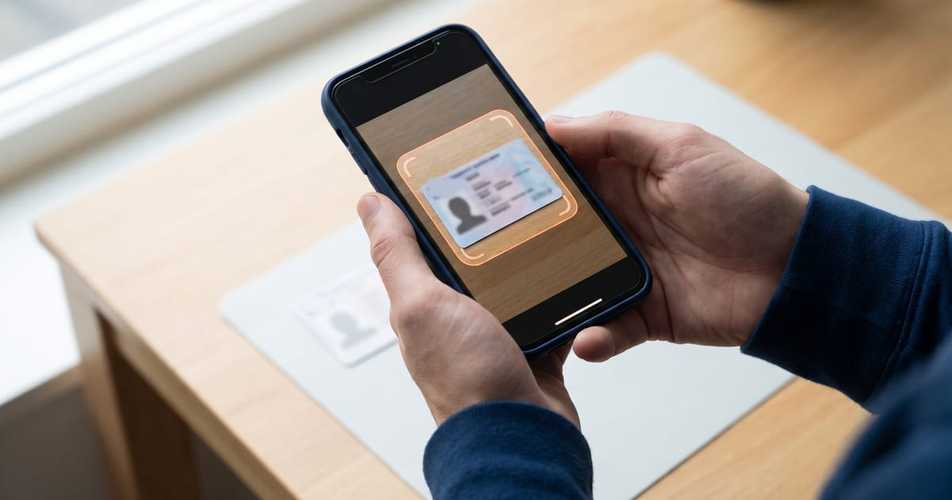
The first step is the camera screen. It shows a frame where the salesperson fits the CNH (Brazil's driver's license) and warns, at the moment of the photo, if the document isn't whole, if the light is a problem or if there is glare. That way the photo problem shows up at the moment of the click, when it is still possible to take it again, and doesn't turn into a resubmission request.
Even with the right photo, automatic reading doesn't get everything right. That is why the system doesn't treat the reading as certain: it flags the field it is unsure about, and the salesperson checks that field. The attention of the person with the customer goes to what the reading didn't guarantee. And automatic reading is kept separate from the rest: switching its provider doesn't change the app or the portal.
Then sending happens on its own while the salesperson continues the proposal: if the signal drops, the documents go when it comes back. On the other side, the lender (the bank or finance company that approves the credit) receives the proposal with the documents already read and the photos of the car. It approves or returns a counteroffer.
According to the case study, the time for the document step in the proposal fell 36%, and on the lender's side 94% of documents are processed on the first attempt.
e-Safer's testimonial doesn't talk about these numbers; it talks about the verified delivery: Valmir Silva, from e-Safer, tested the capture app before signing off on the stage and left this note:
After running countless tests on e-Safer Mobile Capture, I confirmed that all features were as agreed. I thank the X-Apps team for their support in completing this stage and for the work done.

Where could your screen warn first?
The story is about vehicle financing, but the design applies to any step where the customer or the salesperson sends a photo or fills something in on their own: sign-up, credit analysis, employee hiring, insurance, rentals. In all of them it is worth asking whether the screen warns about the error in the moment or whether someone finds out later.
You can find out which side your process is on without calling anyone. Pick up your phone, open your own app or form and photograph a document in a place with little light, at an angle, with the edge cut off. See whether anything warns you before sending or whether the bad photo goes straight through. Then, for one week, ask the back office to note down every document returned and the reason. At the end of the week, split the list into two columns: what the phone could have noticed in the moment (cut-off edge, dark image, glare) and what no camera would notice (expired document, wrong document, data that doesn't match the record). The bigger column tells you where the problem is.
If most of the reasons are something the phone could have noticed at the moment of the photo, such as a cut-off edge, a dark image or glare, it is worth looking at the capture screen first before hiring more people to check.
The screen doesn't solve everything. If documents come back for another reason, the camera changes nothing. If only a few come back each week, checking by hand may still be cheaper than changing the app. And a camera that is too demanding rejects good photos and irritates whoever is taking them, so it is worth tuning the warning with real photos, from ordinary phones.
It is also worth asking whether your system flags what it didn't read with confidence or forces someone to review everything. If you plan to ask vendors for quotes, you will find this and other questions in the guide on document validation, cost and complexity.
User errors are cheaper when the screen guides in the moment than when someone fixes them later.
Source: X-Apps case study page e-Safer document capture. Read on November 16, 2026.