Índice do artigofaltam 10 min de leitura
TL;DR: Claude Design creates an executable prototype, with interface code and real interactions. This shortens the distance between idea and implementation, but it does not guarantee a backend, real data, security, accessibility, performance or production readiness. There are four paths: export the prototype, hand it off to an agent or technical team, build a new project in phases and integrate the design into an existing product. In all of them, screenshots help review appearance; only flow tests prove that it works.
You described the idea, adjusted the canvas and arrived at a convincing interface. The next question seems simple: "how do I turn this into something my clients or my team can use?"
The answer depends less on how beautiful the design is and more on where it is going. A landing page, a new system and an improvement inside a product already in production require different work. This guide organizes these paths in business language and includes prompts, acceptance criteria and checklists to shorten the distance between a demo and reliable software.
What Claude Design really delivers
What Claude Design delivers is not just a drawing. It is an executable prototype, built with interface code and interactions that can be tested on the canvas. The official Claude Design documentation describes the tool as an environment to create and iterate on interactive designs and prototypes, share the result and hand it off for implementation.
This shortens the path a lot, but it does not automatically make the material a production-ready application. A button can look right and still not trigger any action. A screen can show mock data without respecting real contracts. Login, authorization, database, payments, observability, accessibility and publishing remain separate steps.
Preserving the design also does not mean copying pixels at any cost. It means preserving structure, assets and intent, adapting the result to the components, rules, constraints and states of the real product.
The five stages that should not be confused
| Stage | What it proves |
|---|---|
| Prototype | The idea, hierarchy and flow can be discussed. |
| Executable interface | Screens and interactions can be exercised with mock data. |
| Integration | The interface talks to real data, APIs, permissions and rules. |
| Acceptance testing | Flows, states, devices, tests and acceptance criteria have been validated. |
| Production | The approved version was published securely, with monitoring and the ability to roll back. |
Four paths out of the prototype
Before choosing, answer: does what was created only need to be presented, does it need to operate as a new system, or does it need to go into a product that already exists?
| Scenario | Recommended path | Expected result |
|---|---|---|
| Landing page, presentation, concept or validation | Path 1: export the prototype | Files or material for demos and later publishing. |
| Website or feature with a defined scope | Path 2: handoff to an agent or team | Implementation based on the design, with integrations and acceptance. |
| Portal, internal system or new digital product | Path 3: build in phases | Main flow validated before expanding architecture and rules. |
| New experience inside software in production | Path 4: integrate into the existing product | Incremental evolution without losing current operations, contracts and governance. |
Path 1: export the prototype
For a campaign page, presentation or visual validation, the shortest path may be Export. Depending on the option available in the account, the tool generates or forwards files and materials such as HTML, assets, documents or presentations.
The key verb is export, not publish. Exporting delivers or transfers the material. Hosting, domain, forms, metrics, consent and operations need to be configured at the chosen destination.
In practice:
- Review copy, links and CTA behavior in Claude Design.
- Export in the format compatible with the destination.
- Configure hosting and domain in the publishing environment.
- Run the real flows before sharing the URL.
Path 2: handoff to an agent or technical team
When the result needs to evolve, use the handoff as a continuity package. According to the official tutorial on prototypes and UX, the bundle can gather project files, conversation context, instructions and a prompt for Claude Code or another coding agent of your choice.
Claude Code is a natural option because it is directly integrated with the Anthropic ecosystem. It is not the only destination. A ZIP, HTML, assets, screenshots, decisions and a brief can also guide Codex, another agent or a human team.
The goal is not to hand over an image and ask someone to guess the product. It is to transfer intent, structure, components, states and acceptance criteria to whoever will implement it.
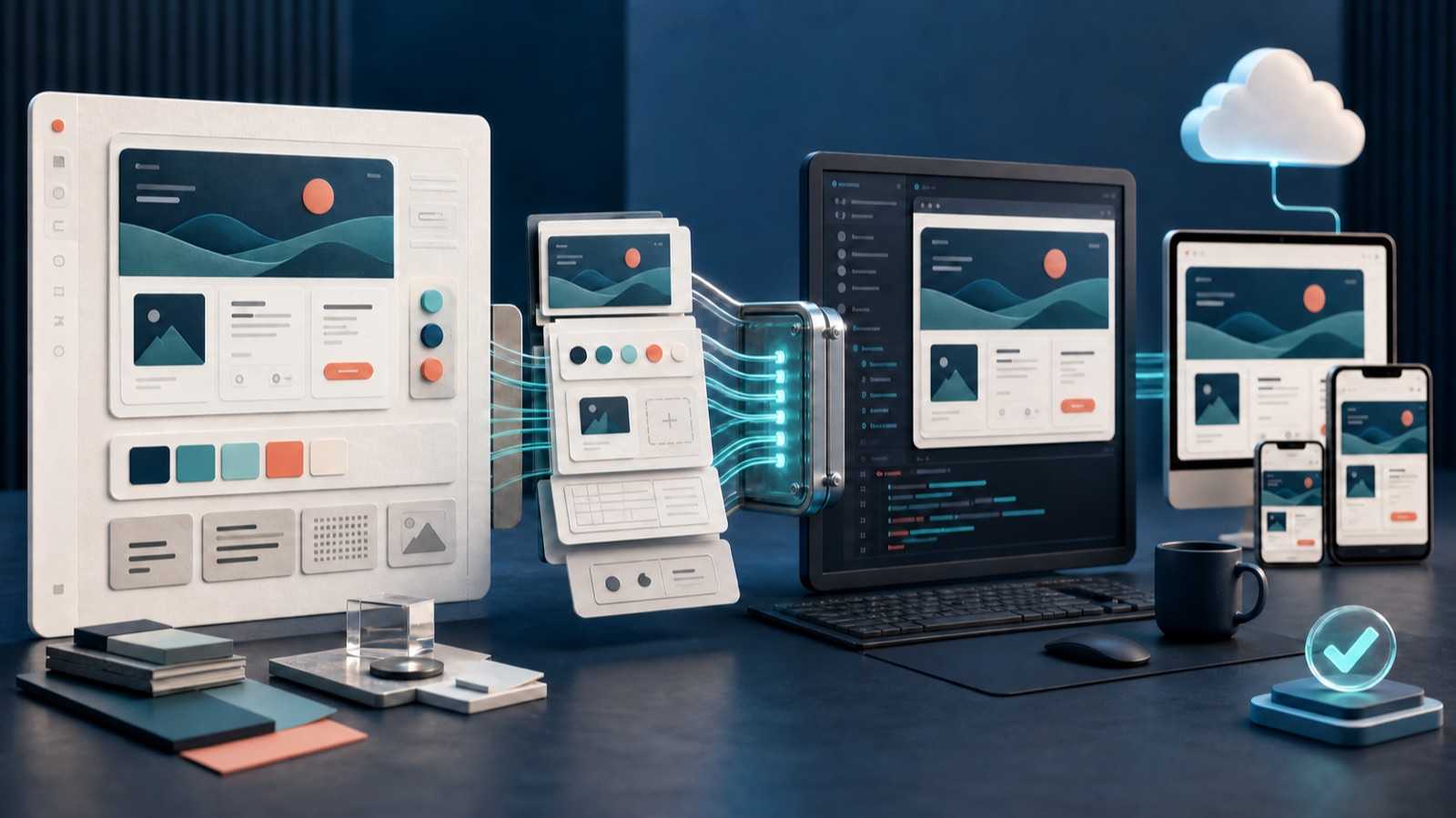
The handoff preserves context and intent, but the implementation still needs to integrate, test and validate the product.
Copyable prompt to turn the prototype into a website
This material came from Claude Design and must be treated as an executable prototype and visual specification, not as a finished application.

Goal: turn the prototype into a published, maintainable website.

Before editing:
1. identify existing pages, components, interactions, assets and decisions;
2. confirm the destination of forms, analytics, domain and integrations;
3. present a short plan and list blocking questions.

During implementation:
- preserve the structure and visual intent, adapting what is needed for accessibility, performance and maintenance;
- use realistic content and handle long text, errors and loading states;
- connect forms and CTAs to real destinations;
- validate desktop and mobile, keyboard, visible focus and contrast;
- run lint, types, tests and build.

At the end, report what changed, how it was validated and what is still pending. Do not publish without my explicit approval.
Path 3: build a new system in phases
A web system is not just a set of screens. It combines state, transitions and rules: who can act, which input is valid, when to charge, what to persist and how to represent incomplete responses.
| Layer | Validation question |
|---|---|
| Screen | Are the hierarchy and actions clear? |
| State | Do loading, empty, success, partial and error states exist? |
| Transition | What happens on confirm, reload or repeat? |
| Rule | Is there permission, balance and valid input? |
| Persistence | Does the result come back through history without repeating the operation? |
| Operations | Are logs, metrics, rollback and support planned? |

The interface is the visible part; states, rules, data and operations hold the product up.
Build in slices that can be demonstrated and tested:
- Main flow with fixtures. Simulate the heart of the product with fictitious data.
- People and permissions. Add authentication and per-role rules, validated on the server.
- Persistence and integrations. Connect the database, APIs, notifications and history.
- Acceptance testing. Test states, accessibility, security, devices and regressions.
- Production. Publish the approved version in a controlled window and monitor the result.
Copyable prompt for the first slice of a system
This design represents a new system. Do not implement the whole product at once.

First slice: build only the main flow with fixtures and fictitious data. Do not use real data, tokens, secrets or environment files.

Before starting, describe:
- the actors and permissions;
- the accepted inputs;
- the loading, empty, success, partial and error states;
- the main transitions;
- what will be persisted now and what will remain simulated.

Implement the slice, test every CTA and present evidence on desktop and mobile. Do not connect production, do not charge anyone and do not publish without explicit approval.
Path 4: when the system already exists
If the design redesigns part of a product in production, do not treat the material as a new project or replace everything at once. Use it as a visual specification and compare each screen with what already supports the operation.
Map before implementing:
- existing routes and navigation;
- components, tokens and design system;
- authentication, roles and permissions;
- input contracts, such as license plate, chassis number, Renavam (Brazil's vehicle registration number), ID document or UF (Brazilian state);
- APIs, database and response formats;
- billing, balance, payments and refunds;
- history, polling and persistence;
- themes, brands and white labels;
- behavior on desktop and mobile.
Implement in small slices: one route, one flow or a coherent set of states. In each slice, preserve existing rules and integrations, exercise the full flow and check the impact on other brands, roles and devices.
The official documentation recommends connecting the codebase and the design system to bring the prototype closer to the real components. The /design-sync command is an option specific to Claude Code; the repository, design system documentation and existing examples play a similar role for other agents and teams.
Copyable prompt to integrate the design into the existing product
This design proposes an improvement to a product that is already in production. Do not create a parallel application and do not replace the existing implementation all at once.

First, explore the repository and compare the prototype with:
- current routes, navigation and components;
- design system, themes and white labels;
- authentication and permissions;
- input and output contracts;
- APIs, database, history and persistence;
- billing, balance, processing and refund rules;
- current behavior on desktop and mobile.

Present an integration plan in slices, indicating what will be reused, adapted and kept. Implement only the first approved slice, preserve compatibility and run the relevant tests. Do not publish without my explicit approval.
Practical lesson: a beautiful screenshot does not prove the flow
In a real test, the first version looked visually complete. When we ran the journey, however, the main CTAs did not move forward. We also had to fix theme and white-label propagation and separate unverified data from conclusive answers.
These problems did not show up in the screenshot. They were only found by clicking, changing inputs, triggering states and following the flow to the end.
Visual evidence proves appearance in that viewport. It does not prove accessibility, persistence, authorization, billing, responsiveness or that it works. For that, you need an acceptance contract.
Acceptance contract for the implementation prompt
The official Claude Code best practices highlight verifiable criteria as one of the most effective ways to improve the result. Add this block to the prompt, whichever agent or team you choose:
Consider the implementation done only when:
- the main flow works from start to finish;
- every main CTA has been clicked and validated;
- loading, empty, success, partial and error states are covered;
- null data, unverified data and long content are handled correctly;
- desktop and a real mobile viewport have been reviewed;
- keyboard navigation and visible focus work;
- contrast, labels and accessible names are adequate;
- existing rules, permissions, data and integrations keep working;
- lint, types, relevant tests and build pass;
- the final report explains what changed, what was validated and what is still pending.

Use staging for acceptance testing. Do not publish to production without my explicit approval.
Security and privacy are part of the flow
Security does not only come in at the end of the project. The OWASP ASVS can serve as a reference to turn security controls into verifiable requirements.
- Use fixtures and fictitious data during prototyping and the first implementation.
- Do not paste tokens, secrets, credentials or environment files into the design project.
- Validate authorization on the server; hiding a button does not prevent an improper call.
- Sanitize external messages, logs and errors before displaying or storing them.
- Review personal data, purpose, retention and threats before acceptance testing.
- Validate in staging before production.
- Plan logs, metrics, alerts and rollback before launch.
Responsiveness needs evidence
It is not enough to ask "make it responsive" and keep a screenshot. WCAG 2.2 also reinforces keyboard operation, visible focus and adequate perception of components.
Validate at least:
- a real mobile viewport and desktop;
- short content and long content;
- modals, menus and fixed actions;
- keyboard, focus order and a visible indicator;
- contrast and accessible names;
- error messages and processing states;
- light and dark themes, when they exist;
- rotation, zoom and different content densities when relevant.
Record the date of the check alongside the screenshots, because the prototype, the browser and Claude Design itself keep evolving.
What to deliver to the team or vendor
The prototype reduces discovery when it arrives as an executable brief. Organize:
- a navigable prototype, with the relevant flows and states;
- the bundle or exported files, with assets and specifications;
- design system, components, themes and white labels;
- business rules and data contracts;
- a map of integrations, permissions and risks;
- the scope of the first slice;
- the acceptance contract and publishing restrictions.
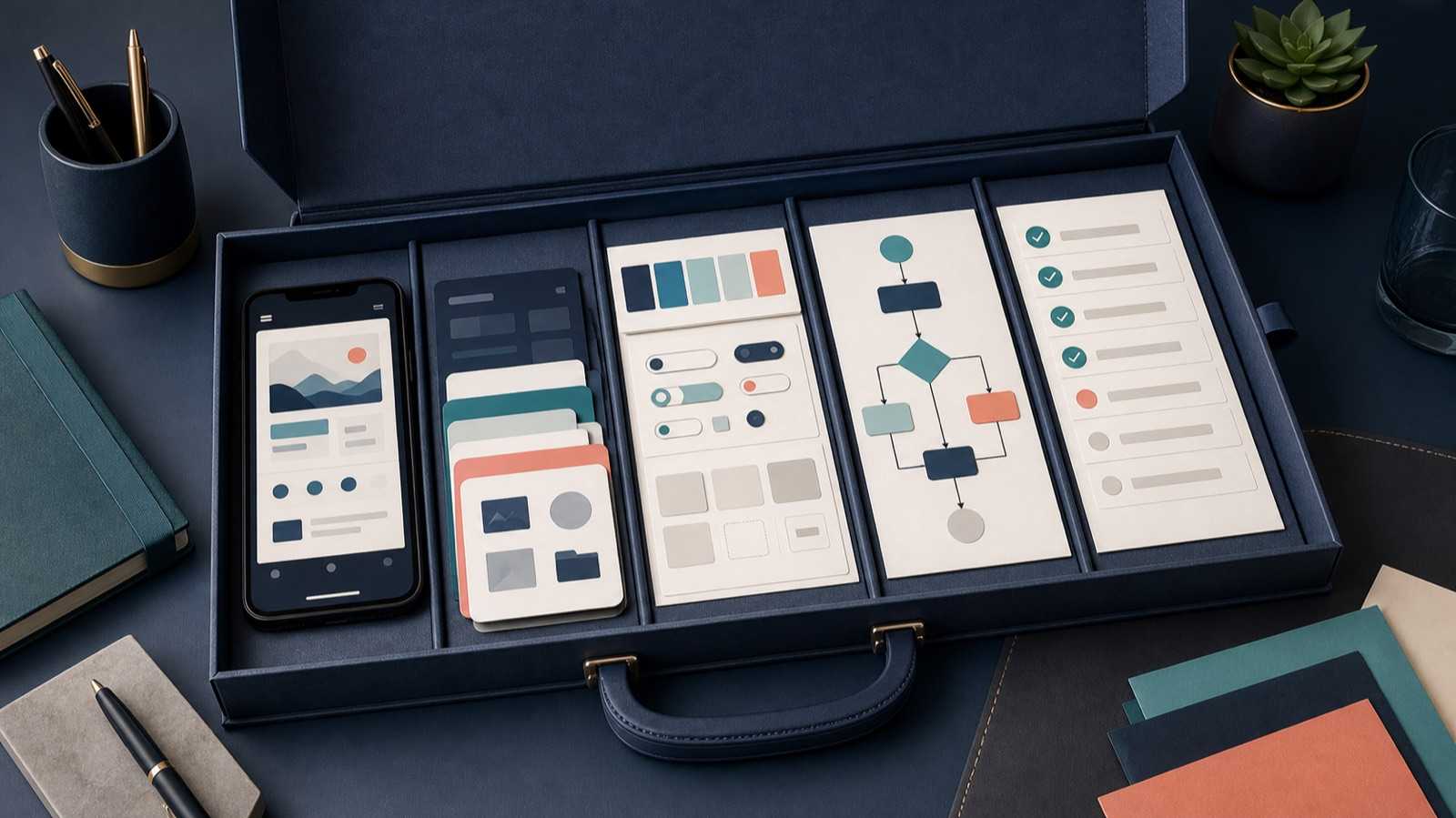
An executable brief makes it possible to estimate and implement without rediscovering the product.
Already have your prototype ready in Claude Design?
Request a quote to turn the prototype into production software, with architecture, integrations, LGPD (Brazil's data protection law), acceptance testing and ongoing support defined from the start.
Final checklist before publishing
- Was the right path chosen: export, handoff, new project or integration into the product?
- Were all main CTAs tested end to end?
- Were loading, empty, success, partial and error states exercised?
- Are null or unverified data separated from conclusive results?
- Were rules, permissions, data contracts and integrations preserved?
- Were desktop, mobile, long content, modals and fixed actions reviewed?
- Were keyboard, visible focus, contrast and accessible names validated?
- Was no secret, real customer data or environment file used in the prototype?
- Did lint, types, tests and build pass?
- Are staging, logs, metrics, alerts and rollback ready?
- Does the final report separate changes, validations and pending items?
- Did the release receive explicit approval from the person responsible?
Additional checklist for paid systems
- Is there a confirmation before charging?
- Do price and balance appear before and after the operation?
- Does insufficient balance have its own handling?
- Does an accepted operation that is still processing have a visible state?
- Does reloading or coming back through history avoid a new charge?
- Are repeated clicks and double submissions blocked?
- Are partial delivery and per-item refunds covered?
- Is unverified data different from "nothing on record"?
- Does a complete failure trigger the expected refund?
- Does repeating a refunded operation warn that there will be a new operation and a new charge?
Frequently asked questions
Do I need to use Claude Code after Claude Design?
No. Claude Code is the destination built into Anthropic's flow, but the handoff can guide Codex, another agent or a human team. What matters is transferring files, context, decisions and acceptance criteria.
Does exporting HTML mean the system is published?
No. Exporting generates or transfers files. Hosting, domain, backend, forms, authentication, metrics and operations need to be configured and validated separately.
How do I know if the result works on mobile?
Test on a real viewport and device. Use long content, open modals, bring up the keyboard, move through focus, trigger errors and follow processing states. A single screenshot is not enough evidence.
Can I apply the design to a system that is already in production?
Yes, but treat the design as a visual specification. Compare it with current routes, components, permissions, contracts, data, payments, history and themes. Implement and validate in small slices.
What about when there are payments or personal data?
Involve specialists. Security, privacy, billing, refunds and observability require technical controls, tests and operational responsibility that go beyond the interface.
What still needs human validation
- The export and handoff options actually available in the account and plan being used.
- The destination for hosting, domain, forms and analytics.
- The accepted inputs, rules, permissions and contracts of the real product.
- The semantics of billing, balance, refunds, repetition and history.
- The legal interpretation of personal data, retention and consent.
- The required level of accessibility and evidence of compliance.
- Product, security and business approval before production.
How X-Apps builds that bridge
At X-Apps, the validated prototype comes in as a living brief, not as a finished application. We preserve the design intent, map rules and integrations, split delivery into slices and define acceptance criteria, staging, observability and rollback suited to the product's risk.
This method takes advantage of AI's speed without replacing engineering responsibility. The result shows in the projects in our portfolio and in deliveries that need to keep running after launch.
Conclusion: from prototype to reliable operations
Claude Design shortens the distance between idea and software, but it does not eliminate the steps that make a product reliable. Exporting serves demos; handoff speeds up implementation; new systems call for building in phases; and existing products require incremental integration.
The finish line is not a convincing screenshot. It is a validated, accessible, secure, observable flow approved for production.
Want to go from prototype to a live product?
Request a quote to take your design to production with architecture, security, integrations, acceptance testing and ongoing support.