Índice do artigofaltam 6 min de leitura
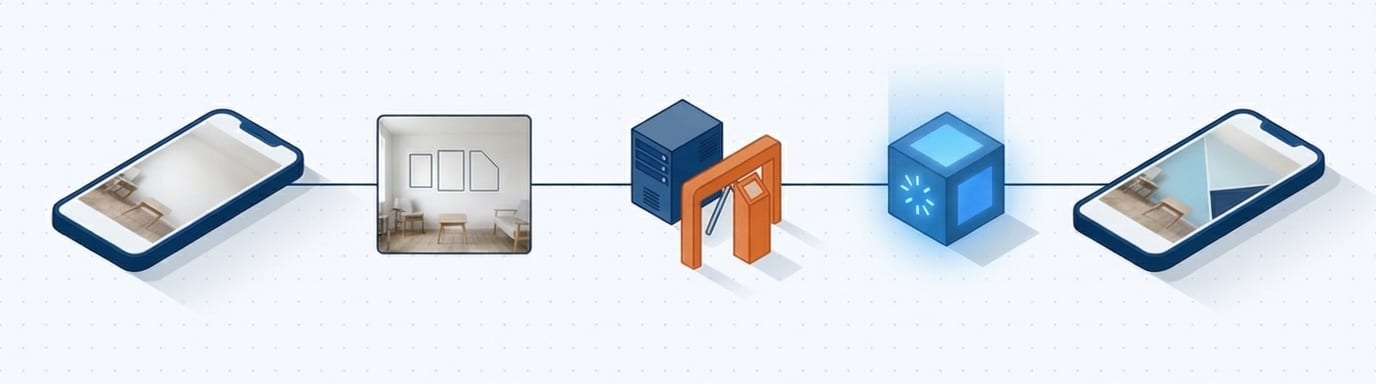
On the night of the second day after launch, an app built by X-Apps stopped generating images for all users. In it, a professional photographs the customer's room, marks the areas and artificial intelligence shows how it would look with the product applied. The spending lock set up for the app's project at OpenAI, the model vendor, did what it was supposed to do and capped the invoice, but it stopped everyone at once. And on December 1, OpenAI retires its cheapest image model. Anyone launching an app like this, or who has already launched one, needs to decide how much each user can generate and how to charge for it.
How much does each AI-generated image cost inside an app?
In an app that generates images with OpenAI's AI at high quality, each image cost about 10 US cents in real use during the first days, in November 2026, according to the platform's records. Users requested hundreds of images on the very first day, and the project's spending limit was reached on the second. OpenAI charges per token: the unit the vendor uses to measure what the AI reads and produces. The bill adds up the request text, the images sent as references and the finished image, and OpenAI's own guide says larger images and higher quality consume more.
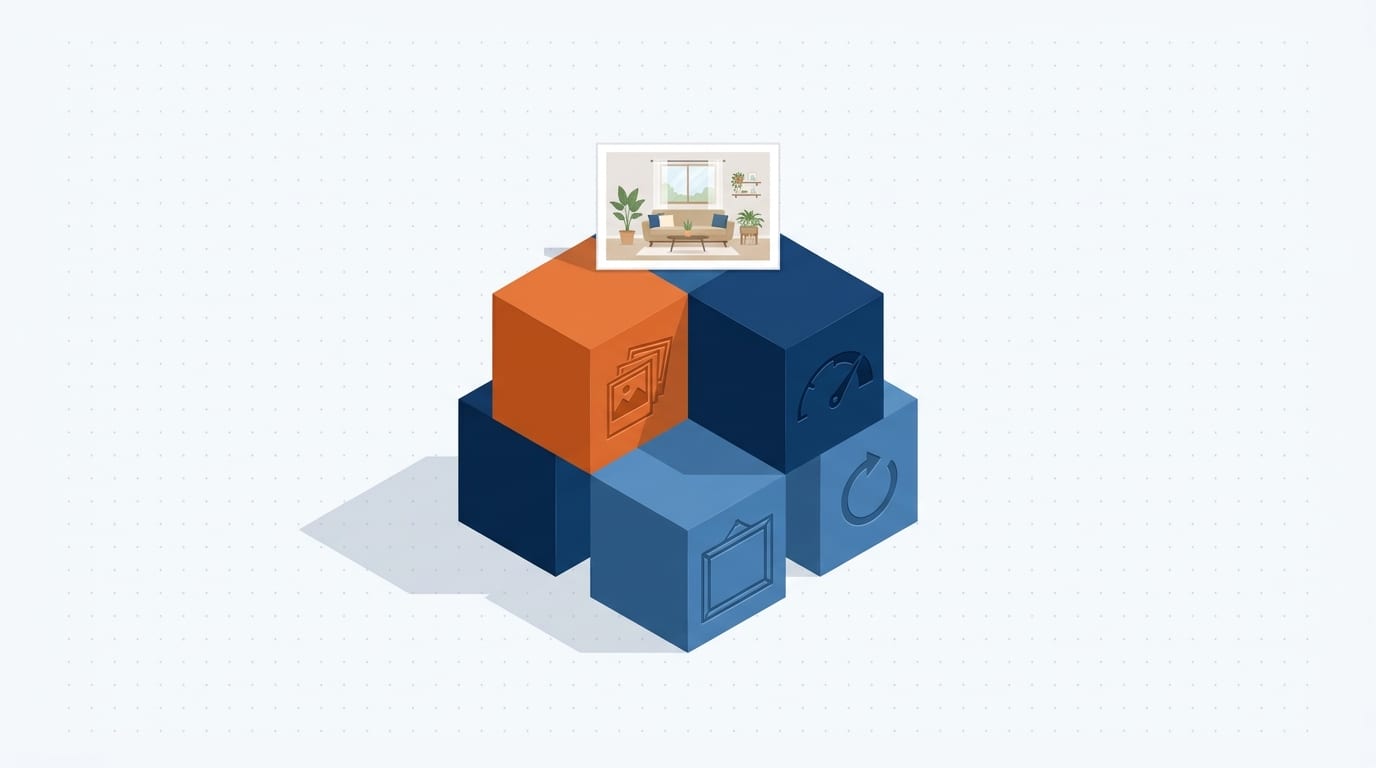
The team detailed what drives the cost of each image in this app. Each area marked on the photo sends the AI the product reference, the photo with the marking and a close-up of the spot that will change, and the areas go together in a single call. Generation runs at high quality, with the photo prepared at high resolution, and the bill records every call made to the AI.
File size in megabytes is not billed directly, the team explained in its diagnosis: compressing the photo without changing its dimensions does not guarantee savings on the AI and mainly helps with upload and storage. OpenAI calculates the image by its dimensions, width and height.
The bill can also change because of a vendor decision. OpenAI's cheapest image model is retired on December 1, 2026. On the price list, each million generated image tokens costs US$ 8 on it and US$ 30 on the two replacements OpenAI recommends, almost four times more per generated image token. The effect on each image can only be measured in your own app. To put the models side by side before choosing, X-Apps maintains an AI model comparison reviewed every week.
Is OpenAI's spending limit enough to keep the bill from blowing up?
No. OpenAI's spending limit protects the company's invoice, but when it hits the ceiling it blocks the app for all users at the same time, without separating heavy users from light ones. OpenAI warns that the spending alert does not impose a ceiling and that the block is not immediate, so spending can go slightly over the configured amount.
That is what happened here. On the night of the second day the spending alert arrived, and minutes later the OpenAI dashboard already showed the app's calls blocked. The next day, the project's limit was raised so the app could work again, and on the same day the team replaced the global lock with a per-user quota.
What this case teaches, and what X-Apps recommends for every app with AI, is to have a per-user quota, a spending alert with headroom and a record of the cost of each image from day one.
How do you limit how many images each user generates per day?
To limit AI usage per user, the count needs to live on the server, before calling the AI. Security best-practice guides for AI systems recommend limiting how many requests each user can make. The quota lives on the server because old versions of the app stay installed for days after an update, and only the server reaches all of them.
In this case, the quota went onto the server on the same day as the diagnosis: three simulations per user per day, renewed daily, with the balance on screen. Since each simulation is one call to the AI, with the areas together and the cost measured above, the quota puts one user's AI ceiling at about US$ 0.30 per day, around US$ 9 per month, and more marked areas can make the call more expensive.
-
Official app launch
Image requests jump from a few per day, before launch, to hundreds.
-
Project spending limit reached
OpenAI blocks the calls and no one can generate images.
-
Limit raised and diagnosis
The app works again, and the team maps what drives the cost of each image.
-
Daily per-user quota on the server
The limit now applies to every version of the app, including old ones.
-
New version submitted to the stores
The screen now shows the day's image balance.
- Version confirmed on the App Store and Google Play
The version with the counter was in the stores four days after submission. Since the quota was already on the server, waiting for Apple's and Google's review did not leave spending unchecked.
For AI systems in general, the article on how to reduce generative AI costs details per-user limits.
Is high quality for AI-generated images worth the extra cost?
High quality for AI-generated images only pays for the extra cost if the difference shows up on the screen the user will look at, and only a test with real images can answer that. In this app, the screen that matters is the phone on which the professional shows the simulation to the customer.
The criterion: generate the same real photos at medium and high quality, look at them on the phone and keep the cheaper one that nobody can tell apart from the other. In this case, the comparison with real photos is in progress, and the result is not out yet.
What is already in place is the measurement. The team presented the client with an admin panel showing the daily quotas, the history of generated images and the record of how much each image consumed, with the estimated cost of each one. Without that record, the quality choice would be a guess; the same logic applies to adjusting the quality level and cutting your AI bill in other uses.
Subscription, credits or both: how should you charge users for AI?
Subscriptions and credits can coexist in the same image AI app, and that is the design of the proposal under discussion with the client in this case: free trial usage, one-off credits and a subscription with a monthly image allowance. When each image has a cost, free and unlimited usage eats into the margin.
In Brazil, Apple's commission ranges from 10% to 21%, depending on the size of the company and the type of sale, plus a fee if the payment goes through Apple, and Google Play takes 15% on subscriptions. Apple also allows an alternative payment method inside apps in Brazil, alongside purchase through the store, and the commission still applies. Under Apple's general rule, credits sold inside the app through the store cannot have an expiration date. The price of each plan needs to cover the images in the allowance and that commission, alongside the other recurring costs of an app.
What to ask the team before launching an app with image AI?
Before launching an app with image AI, the team needs answers on quotas, spending alerts, cost records, quality and pricing. The cost of the people who check the AI's work is a different conversation, covered in the article on AI costs running over budget.
- What is the image quota per user, and is it counted on the server?
- What does the user see when they reach the day's limit, and what happens to everyone when the whole project reaches the ceiling?
- Who receives the spending alert, and with how much headroom?
- Where is the cost of each image recorded?
- Were medium and high quality compared with real photos, on the phone?
- How much does a user generate for free, and does the price of the plans already account for the store's commission?
- Which image model does the app use, and is it being retired on December 1?
You can start tomorrow without hiring anyone: ask whoever looks after the app for the spending limit set in the AI dashboard and what the user sees when it is reached.
Frequently asked questions
It depends on the model, the quality and the size of the image, because OpenAI charges for what the AI reads and produces. In a room visualization app that uses OpenAI's AI at high quality, each image cost about 10 US cents in the first days of use.
With a per-user quota counted on the server, before calling the AI. In the case described, each user now has three simulations per day, with the day's balance on screen; since each simulation is one call to the AI at about 10 US cents, one user's ceiling is about US$ 0.30 per day.
No. It protects the invoice, but when it is reached it blocks the app for all users at the same time, and OpenAI itself warns that the block is not immediate and that spending may go slightly over the configured amount.
Because old versions of the app stay installed for days after an update. A quota on the server applies to all of them from the moment it goes live.
Both can coexist in the same app: free trial usage, one-off credits and a subscription with a monthly image allowance. Inside the app, Apple's or Google's commission goes into the price, and credits sold inside the app through the App Store cannot have an expiration date.
Only if the difference shows up on the screen the user will look at. The test is to compare real photos at medium and high quality on the phone and keep the cheaper one that nobody can tell apart from the other.
Not necessarily. File size is not billed directly: compressing the photo without changing its dimensions helps with upload and storage, and OpenAI calculates the image by its dimensions, width and height.
gpt-image-1-mini, OpenAI's cheapest image model, is retired on December 1, 2026, and the recommended replacements charge US$ 30 per million generated image tokens, against US$ 8 for it. How much that weighs on each image can only be found by measuring in your own app.
Sources: OpenAI, deprecations, pricing, image generation guide and spending limits; OWASP, LLM10:2025 Unbounded Consumption; Apple, App Review Guidelines (October 16, 2026) and distribution in Brazil (June 18, 2026); Google Play, service fees; project records and meetings with the client, November 2026. Pages read on November 24, 2026.