Índice do artigofaltam 4 min de leitura
Polishop's sales app had a 2.3 rating in the app stores, according to the case study we published about the project. Polishop is a Brazilian retailer of home, kitchen and beauty products.
Today it has 4.8 on Google Play, according to the same case study. The app was rebuilt by X-Apps, the software company that writes this blog.
What is a low rating telling you?
Anyone thinking of downloading your app sees the stars before seeing any product. That's why many companies treat the rating as an image problem. They ask satisfied customers for reviews, reply to those who complained and wait for the average to improve.
But the rating is given by people who tried to buy. It sums up what happened between opening the app and receiving the product at home. As long as the failures along that path remain, every new customer runs into them and leaves their rating, and the average tends to drop again even after a review-request campaign.
The case study lists three problems, each at a point in the purchase: weak images, slow navigation and mobile purchases disconnected from the physical stores. It doesn't say which change weighed most on the rating or how long the climb took. What it shows is where the work started.
That already helps whoever is on the other side of the table. A complaint like "the app is bad" has no fix and no budget. A complaint like "customers can't find the product without knowing its name" has both, and you can check afterwards whether it was solved.
What changed in Polishop's app
X-Apps redesigned and developed the app starting from those three problems, according to the case study.
Before
2.3 rating in the app stores- Weak images
- Slow navigation
- Mobile purchases isolated from the physical stores
After
4.8 rating today on Google Play- Video of the product in use and high-quality photos
- Catalog by lines such as kitchen, beauty and home
- Pickup at a physical store or Express Delivery, chosen in the cart
When opening the app, the customer sees a video of the product in use. Each category appears with a photo of one of its products, instead of just the name. The product page shows the upfront price via Pix (Brazil's instant payment system), the installment option and the buy button side by side. In the cart, the customer chooses between picking up at a physical store or receiving it by Express Delivery, which they can track step by step. The same screen shows how much cash back the purchase earns for use on the next one.
Notice that none of these changes asks the customer to rate the app. They all touch the path between seeing the product and receiving it, which is precisely the stretch the rating sums up.
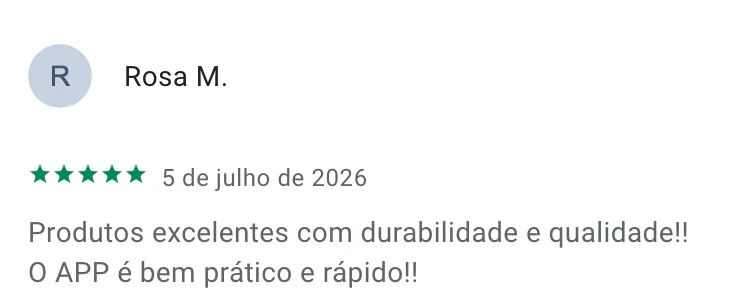
The new rating holds in the stores today, and the praise customers write there is about the app, not just the product. Below are some of them as they appear on Google Play.
- 4.8Google Playmore than 3,000 ratings
- 4.7App Storemore than 4,000 ratings



Winne Rodrigues, from Polishop, explains how the company chose who would rebuild the app. The React Native she mentions is a way of building the Android and iPhone app at the same time.
We chose X-Apps after evaluating six companies over the course of a year. What tipped the balance was the team's experience and the clarity in explaining technical decisions, like React Native. Working with agile methods also made sense to us.

Polishop took its time comparing vendors and weighed, among other things, the ability to explain a technical choice to someone outside the field. For anyone hiring, this has a practical use: if the proposal doesn't explain in plain words why each decision was made, it's hard to hold anyone to the result when the work is done.
Where to start with your app
The first step is free. Open your app's recent reviews with the lowest ratings and note the complaint that repeats most. Look there for the point where the purchase got stuck.
Then grab your phone and buy one of your products from start to finish, checking these points:
- The app opens and doesn't crash in the middle of the purchase.
- The customer can see the product well, in a large photo or video.
- They find what they're looking for without knowing the exact name.
- Price, installments and the buy button sit together on the product page.
- Payment goes through on the first try.
- They choose how to receive it without leaving the purchase, including picking up at a physical store, if you have one.
Note every item that fails. That list is what you take to whoever runs the app, asking that each item in the proposal say which failure it fixes.
We recommend making the purchase more than once, including on an older phone and over a slower connection. A snag that doesn't show up on the office's new device may be costing stars without anyone at the company noticing.
Your app's problems may be different. The list above combines what came up at Polishop with what X-Apps recommends checking in any mobile purchase. What carries over from the case is the order of the work: first find out where the purchase gets stuck, then decide what to rebuild, and only then measure whether the rating followed.
If you'd like to go through this with the team that rebuilt Polishop's app, tell us in the form below how yours is doing today. The conversation starts with the list of what failed.