Índice do artigofaltam 15 min de leitura
Summary in one sentence: WhatsApp CoEx (Coexistence) lets you connect the number already running on the WhatsApp Business app to Meta's official API and use both at the same time, with conversations mirrored between the phone and the company's customer service platform, CRM or chatbot.
For years, moving to the official WhatsApp API required a sacrifice: the number stopped working in the app. The company gained automation, multiple agents and integrations, but lost the routine the team had already mastered on the phone. Many businesses postponed the migration for fear of losing their history, contacts and the speed of the app.
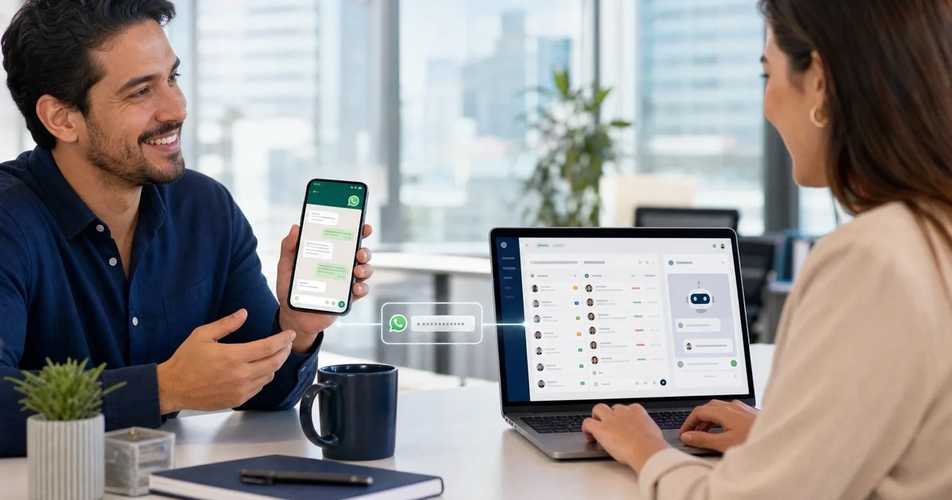
WhatsApp CoEx ended that either-or choice. With coexistence, the same number serves customers through the WhatsApp Business app and the WhatsApp Business Platform (Cloud API) simultaneously. The business owner keeps replying from the phone while the chatbot qualifies leads, the CRM records every conversation and the team serves customers at scale through the platform.
This guide was published on July 29, 2026 and revised on November 11, 2026, after Meta shut down the old versions of Embedded Signup. It brings together what Meta's official documentation and official partners publish about the feature, including technical details that rarely appear in Portuguese-language guides: the coexistence webhooks, the 24-hour window to sync history, the rule of opening the app every few days and the full list of what stops working. Features, limits and prices change often; confirm the sensitive points in the official links listed at the end.
What WhatsApp CoEx is
WhatsApp CoEx (short for Coexistence) is an official Meta feature that lets you use the same number in the WhatsApp Business app and the official API (Cloud API) at the same time, with conversations and contacts mirrored between the phone and the company's service platform.
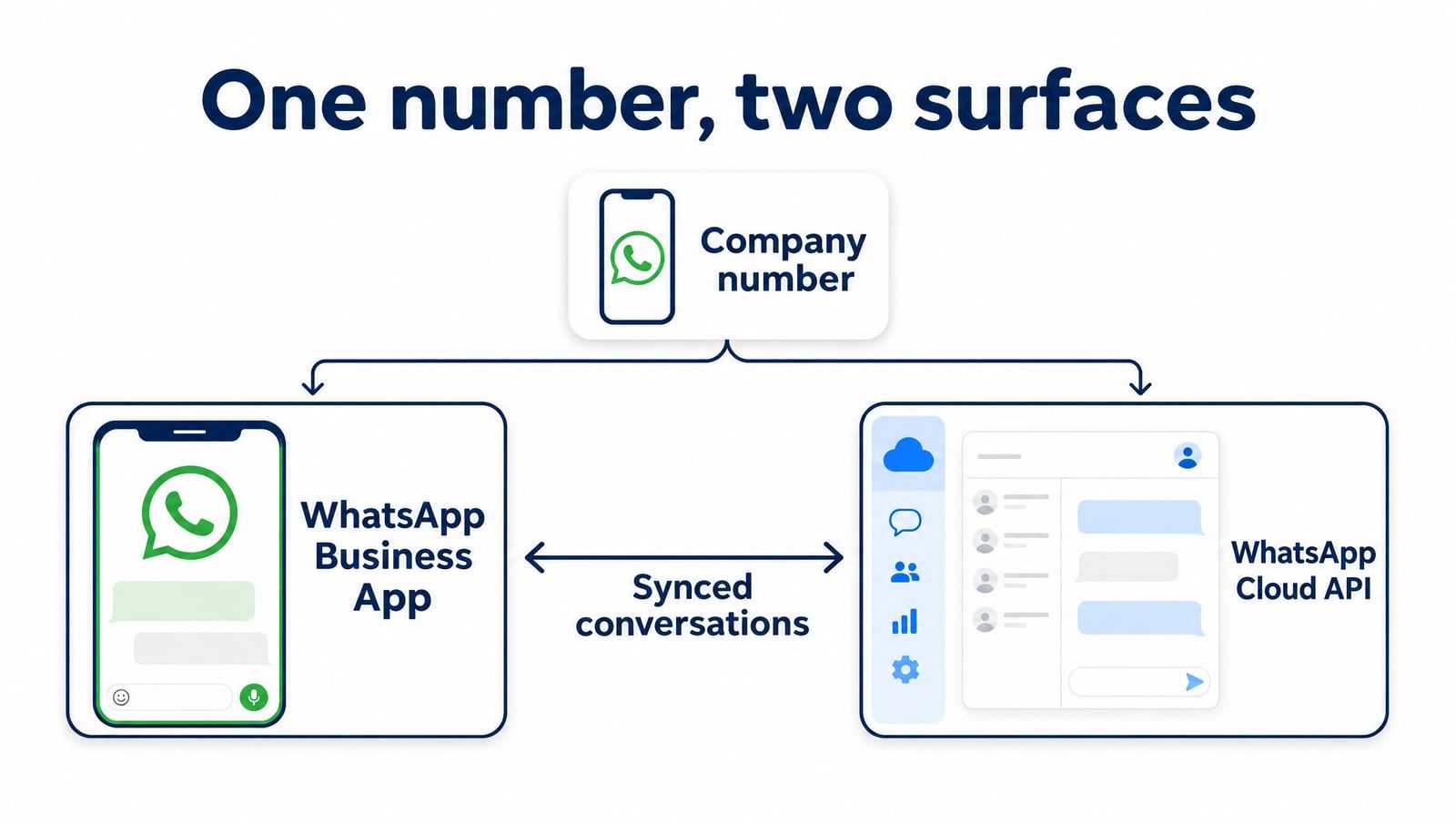
In Meta's documentation, the feature appears as Onboarding WhatsApp Business App Users: a flow that connects the existing WhatsApp Business app account to the Cloud API without deactivating the app. With it, the same number gets two service surfaces:
- the WhatsApp Business app on the phone, the way the team already uses it;
- the official API, connected to a customer service platform, CRM, chatbot or in-house system.
Messages sent and received are mirrored between both sides. A conversation started in the app shows up on the platform; a reply sent through the API shows up on the phone. Contacts created in the app are also synced with the integration.
The feature started in beta in February 2025, with Brazil among the first countries served, and was expanded throughout 2025 and 2026 until it became practically global, according to market surveys. Meta does not publish a fixed list of countries: each number's eligibility is confirmed during the activation flow itself.
Migrating to the WhatsApp API without losing the number: what changes with CoEx
Before coexistence, a company had three paths, all with a serious problem:
- Stay on the app only: simple and free, but with no real automation, no organized way for several agents to work and no integration with systems.
- Migrate to the official API: powerful, but the number stopped working in the app and the history was left behind. The whole operation had to switch tools on the same day.
- Use an unofficial API: tools that simulate WhatsApp Web to automate the app. They work until the day Meta detects the usage and bans the number, without warning and without appeal.
CoEx creates a fourth path: gradual adoption of the official API, without abandoning the app and without losing recent conversations. The most common use cases:
- Small business that wants to test automation: the owner keeps answering through the app while a chatbot responds after hours and the platform organizes the queue.
- Sales team with reps in the field: reps reply from their phones; management follows everything through the CRM, with a consolidated history and funnel metrics.
- Company moving to structured customer service: the team moves to the platform gradually, with no single cutover and without training everyone at once.
- Operation that needs campaigns: template sends to large lists go out through the API, while one-to-one relationships continue in the app.
In practice, CoEx is the official way to have the WhatsApp API running alongside phone-based service: automation runs in the cloud and the number stays active in the app.
What syncs and what does not
This is the point that causes the most doubt, and where most Portuguese-language articles are vague. The rules documented by Meta:
| Item | Syncs? | Detail |
|---|---|---|
| Individual conversations (1:1) | Yes | Up to 6 months (180 days) of history at the time of connection |
| Conversation media | Partial | Only messages from the last 14 days include the files |
| App address book contacts | Yes | All contacts with WhatsApp, including future additions and removals |
| Group conversations | No | Groups stay only in the app |
| New messages (after connecting) | Yes | Mirrored in real time in both directions |
| App labels, quick replies and automated messages | No | App tools do not migrate to the platform |
Important operational rules almost nobody mentions:
- Sharing the history is optional and decided by the customer during the connection. If the company declines, the integration only receives new conversations.
- The choice cannot be changed later. To share the history later, you need to disconnect the account and redo the whole process.
- Sync must start within 24 hours of the connection. The history arrives in phases through Meta's webhooks: first the conversations from the last day, then up to 90 days, then up to 180 days. If the phone loses internet or the app leaves the foreground during this period, the sync may fail.
- Not every platform implements history import. The 180 days are a capability of Meta's API, but each vendor decides whether to consume those webhooks. respond.io, for example, offers coexistence without importing the history. Confirm this point before signing up.
Requirements to enable WhatsApp CoEx
Before starting activation, check the prerequisites:
- WhatsApp Business app version 2.24.17 or later, installed on a smartphone with a camera.
- A number already active in the app, with real usage. Meta evaluates account age and message quality; newly created accounts may not be eligible right away. Partners recommend between one and four weeks of genuine use.
- A platform or integration that supports coexistence. Activation happens through the Embedded Signup of a Meta Solution Partner or Tech Provider. Not every vendor supports it: Twilio, for example, does not offer coexistence. Among those that document support are 360dialog, Infobip, WATI, respond.io, SleekFlow and others. A company can also become a Tech Provider and enable the feature in its own integration.
- An organized Meta Business account. The flow creates the assets in Meta's business account, so it is worth preparing the Business Portfolio beforehand. The full step-by-step is in our guide on how to set up Meta Business and WhatsApp Embedded Signup.
A technical detail that has already changed: Meta shut down versions 2 and 3 of Embedded Signup on October 15, 2026. For integrations in general, Twilio (which does not offer coexistence) says numbers already connected through it keep working and that the change affects onboarding of new customers; Meta has not confirmed the same specifically for numbers in coexistence. Since October 20, 2026 the latest version is 5, in which connecting WhatsApp Business app accounts is on by default. If your platform or integration still uses a version 2 coexistence flow, it no longer offers CoEx at activation until it is reconfigured. The details are in the developer section below.
How to enable WhatsApp coexistence: step by step
The exact flow varies a little depending on the platform, but the backbone is defined by Meta:
- Start Embedded Signup on the chosen platform and enter the number that is already in the WhatsApp Business app.
- Log in with the company's Meta/Facebook account and select or create the Business Portfolio.
- Receive the notification on your phone. The WhatsApp Business app receives an official message inviting you to connect to the business platform.
- Scan the QR code or type the code shown on the Embedded Signup screen to confirm you control the number.
- Decide about the history. The app asks whether you want to share conversations and contacts with the platform. This choice is final for this connection.
- Wait for the sync. Contacts arrive in minutes; the full history can take from minutes to hours. Keep the phone connected to the internet and the app open in the foreground at the start of the process.
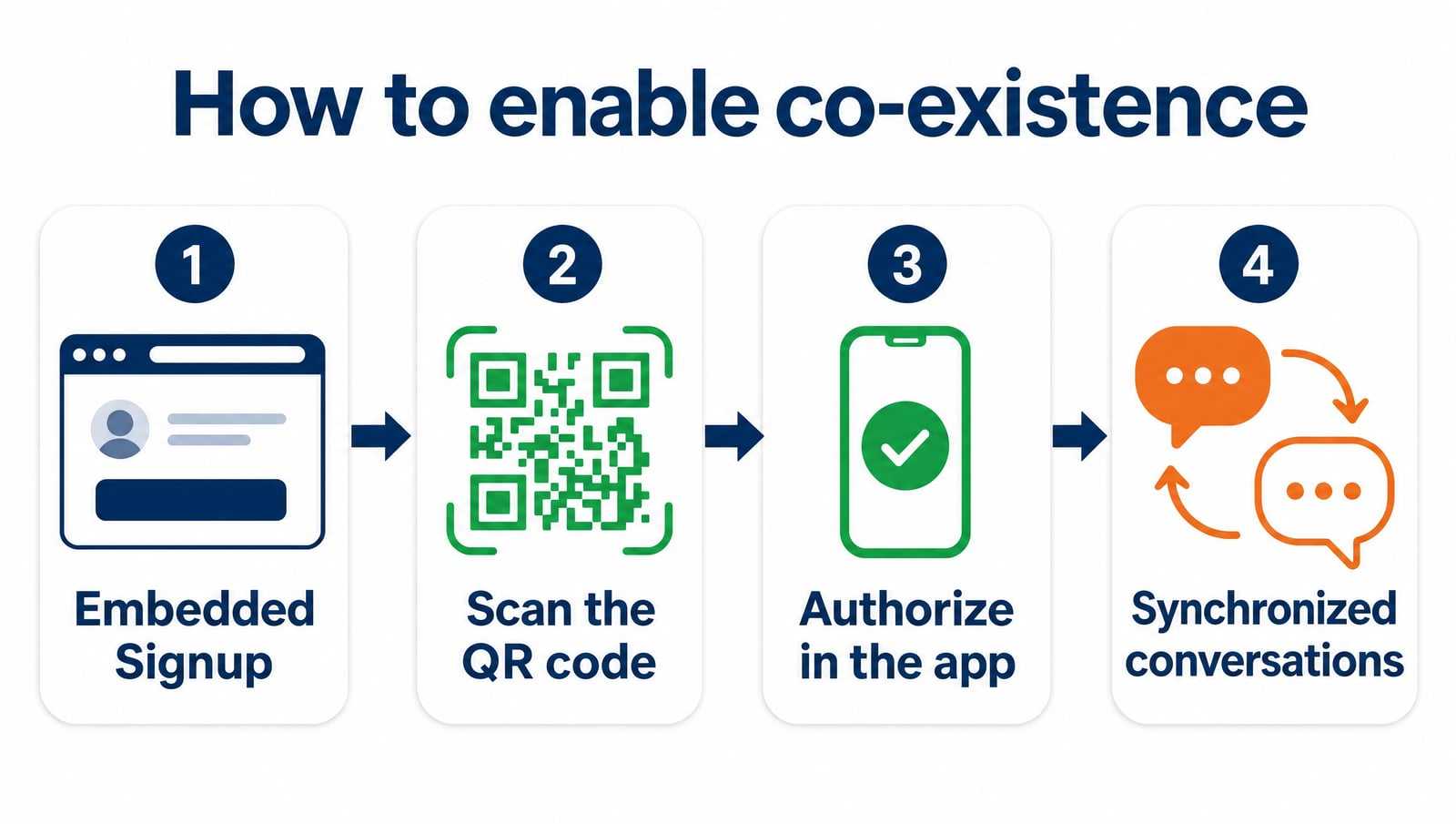
After the connection, the number appears on the platform as an official API account, with access to templates, chatbot, multiple agents and reports, while the app keeps working on the phone.
What changes in the app after enabling it
Coexistence has a functional price that sales materials usually hide. When you connect, some app features are disabled or limited. The consolidated list from the official documentation and partners:
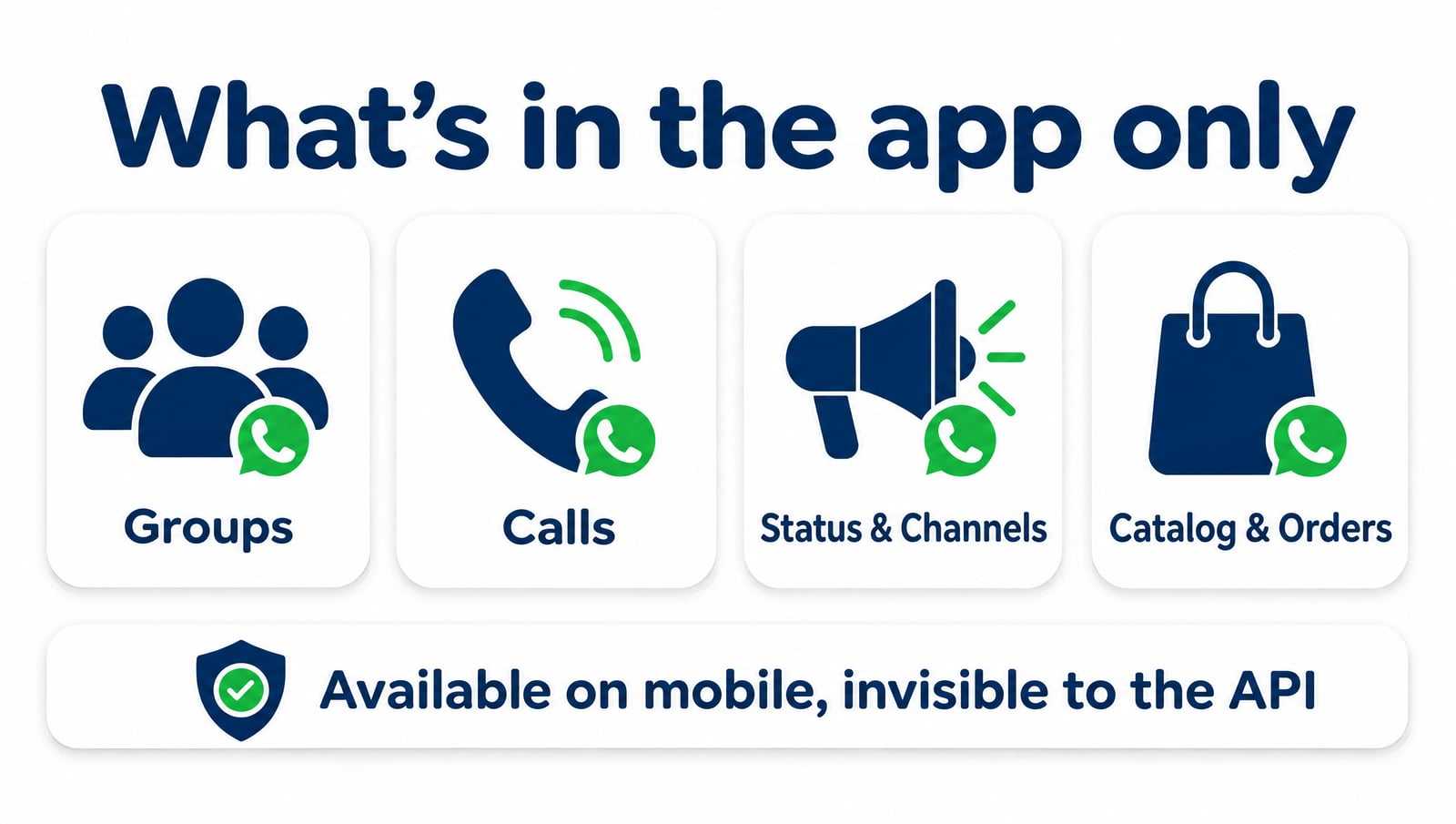
Available only in the app (they do not appear in the API):
- Groups and communities: they keep working in the app, but do not sync with the platform.
- Voice and video calls: phone only. Numbers in coexistence cannot use Meta's Calling API.
- Status and Channels: posting is still possible in the app, with no visibility through the API.
- Catalog and orders: management stays in the app.
Disabled or limited in the app:
- Broadcast lists: existing ones become read-only; you cannot create new ones.
- Disappearing messages and view-once messages: disabled in individual conversations.
- Live location: disabled.
- App messaging tools (greeting message, away message, quick replies and labels): they stop working; these functions become the job of the connected platform.
- Linked devices: all are disconnected on activation. WhatsApp Web and WhatsApp for Mac can be reconnected; WhatsApp for Windows and WearOS are no longer supported.
Limits of an account in coexistence:
- Fixed throughput of 20 messages per second, adequate for most operations, but not enough for high-volume mass sends.
- The Official Business Account badge (OBA, the blue badge) is not supported in this mode, according to official partners; Meta Verified follows its own path.
- The WhatsApp Business Account (WABA) created for coexistence holds a single number and cannot be migrated between partners. Infobip documents a limit of four such WABAs per portfolio; other partners, such as 360dialog, do not mention a limit. Confirm with your vendor.
- Numbers in coexistence do not use the Groups API or the Marketing Messages Lite API.
Operating rules that prevent surprises
After enabling it, three precautions keep the connection healthy:
- Open the app frequently. Official partners document that WhatsApp Business must be opened at least once every 13 or 14 days. Without this, the API connection expires and message delivery is affected.
- Do not uninstall the app. Uninstalling, deleting the account or registering the number on another service disconnects the integration. Since 2026, changing phones or reinstalling the app triggers an automatic reconnection flow within a few minutes, but the app needs to keep existing.
- Define who answers what. Since the app and the platform see the same conversations, without a clear agreement two agents may reply to the same customer at the same time. Good practices: chatbot and campaigns on the platform, human service with an explicit rule for conversation ownership.
A known behavior: right after activation, the first send through the API may return error 131060 (message not supported). It usually resolves itself within seconds.
How much WhatsApp CoEx costs
Coexistence itself has no separate Meta charge. The total cost combines three components:
1. Messages sent from the app: free. Nothing changes compared to normal WhatsApp Business use.
2. Messages sent through the API: they follow Meta's official pricing. Since July 1, 2025, billing is per delivered template message, no longer per conversation:
- Service messages (free-form replies within the 24-hour customer service window): free.
- Utility templates: free when sent within an open customer service window; outside it, charged per message, with volume discounts.
- Authentication templates: always charged per message, at lower rates than marketing and with volume discounts.
- Marketing templates: always charged, at the highest per-message rate in the table.
For Brazilian companies, Meta started allowing billing in reais (Brazilian currency) from July 2026. The exact rates per category are in the official rate card and change with the exchange rate and Meta's policy; confirm in the current table before projecting costs.
3. The platform subscription or the cost of your own integration. Customer service platforms charge a subscription per number or per user. Your own integration via Tech Provider eliminates the third-party subscription, but requires development and maintenance.
A detail of the model that works in coexistence's favor: messages sent from the app do not open or extend the API's 24-hour window and are not charged. Human conversation on the phone stays free, and the API comes in only where automation adds value.
The API rules still apply
Coexistence does not relax the WhatsApp Business Platform policies. On the API side:
- 24-hour customer service window: when it receives a message from the customer, the company has 24 hours to reply with free-form messages through the API. The window is only opened by messages received after the connection.
- Approved templates outside the window: to start a conversation through the API or reply after 24 hours, you must use a template approved by Meta. Templates are created and managed only through the platform, never through the app.
- Opt-in and quality: the consent rules for outbound messages and the number's quality monitoring are identical to those of any API account.
For developers: how coexistence works under the hood
If your company plans to integrate the API directly, without relying on a third-party platform, these are the details that make a difference in the project. No Portuguese-language article covers these details, and they are decisive for estimating the development effort.
Coexistence adds three webhook subscriptions on top of the traditional messages field:
| Webhook | Function |
|---|---|
history | Delivers the shared history in phases (day 0 to 1, 1 to 90 and 90 to 180), in chunks with phase and progress metadata. If the customer declines sharing, it arrives with error code 2593109 |
smb_message_echoes | Echoes the messages the business sends from the app or a linked device, including edits and deletions, with the identifier of the original message |
smb_app_state_sync | Syncs contacts: an initial load minutes after the connection and add, edit and remove events from then on |
Architecture points worth attention:
- Idempotency on echoes. Treat
smb_message_echoeshandlers as idempotent, using the message ID, and distinguish messages originating in the app from those sent by the API itself, so you do not create loops or duplicate records in the CRM. - Echoes do not open a window. Messages sent from the app do not create a customer service window, do not trigger inbound automations and are not charged. The bot's flow logic must ignore them as a trigger.
- The sync is one-time. The process of importing history and contacts runs only once per connection and must be started within 24 hours. If it fails or you change your mind, the way out is to disconnect and redo it.
- Connection lifecycle. A disconnection initiated by the customer generates the
account_updatewebhook with thePARTNER_REMOVEDevent and an object with the reason. There are also disconnected and reconnected account events to handle phone changes. Partners cannot use the Deregister API on these accounts. - Embedded Signup version. Versions 2 and 3 were shut down on October 15, 2026, along with their public preview versions. Since then, requests pointing to them (or not specifying a version) are served as v4. Meta announced that most integrations still on v2 or v3 would be converted automatically to v4, but warned in advance that the v2
coexfeature type would not migrate on its own: after the deadline it stopped working and the flow now falls back to standard onboarding, which does not enable coexistence. For integrations in general, Twilio says senders already connected keep operating and that the change affects onboarding of new customers; Meta does not say the same specifically for numbers in coexistence. Anyone in that situation needs to reconfigure the integration. - v4 or v5. In v4, coexistence is turned on with
featureType: "whatsapp_business_app_onboarding". v5, released on October 20, 2026, is the latest version: in it, connecting app accounts is on by default (featureTypeis no longer needed and there is an option to turn it off infeatures), the session object moves to version 5, replaceswaba_idwithmessaging_account_idsand reportsis_on_biz_app. Meta has not announced a shutdown date for v4, which is the version used when the request does not specify one. For a new project, our recommendation is to start on v5, which already turns coexistence on by default.
This level of integration usually appears in projects that connect WhatsApp to internal systems, ERPs and CRMs or that use AI agents in customer service. In these cases, a chatbot with its own knowledge base via RAG through the API, living alongside human service in the app, is exactly the scenario coexistence makes possible.
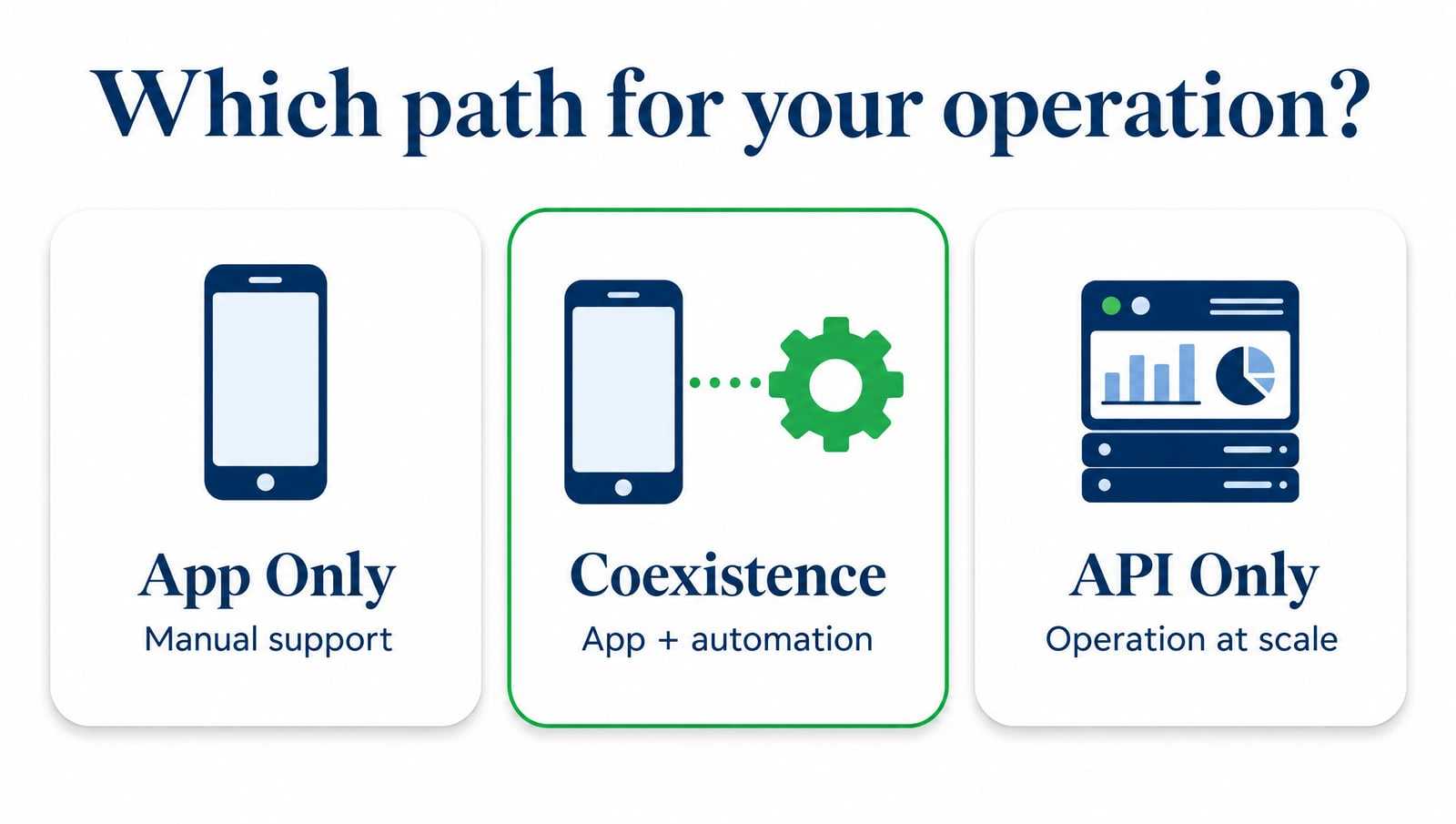
App, CoEx or pure API: which path to choose
| Criterion | App only | CoEx (app + API) | API only |
|---|---|---|---|
| Automation and chatbot | Simple app replies | Full, via platform | Full |
| Multiple agents | Up to 5 devices, no management | Yes, with the app still active | Yes |
| History when migrating | Not applicable | Up to 180 days synced | Starts from zero |
| Groups and calls | Yes | Yes, app only | Groups only via the restricted Groups API; calls via Calling API |
| Send volume | Low | Up to 20 messages per second | High, with higher tiers |
| Official Business Account badge (OBA) | No | Not supported | Yes, upon approval |
| Meta cost | Zero | API messages per the rate table | Messages per the rate table |
| Team routine | Kept | Kept, with a platform in parallel | Changes completely |
In short:
- Stay on the app only if the operation is small, volume is low and there is no need for integration or automation.
- Use CoEx if you want automation, CRM and service at scale without giving up the phone, or as a safe transition phase toward the API.
- Go straight to the pure API if the operation needs high throughput, the official business badge, the Calling API or the Groups API, and the team no longer depends on the app.
And about unofficial APIs: with coexistence available, their main argument (using automation without losing the app) no longer exists. The official path eliminates the most common reason for bans, irregular automation on top of the app, a risk that in a sales operation means losing the main sales channel overnight.
A migration warning for those already on the API: a number active on the Cloud API cannot be converted directly to coexistence. You need to remove the number from the API, reactivate it in the WhatsApp Business app and then redo the connection in CoEx mode.
How to disconnect CoEx
Reverting is simple and in the customer's control, not the platform's. In the WhatsApp Business app: Settings → Account → Business Platform → Disconnect account. From then on, the number operates only in the app again, with all features restored. Conversations already recorded on the platform stay there; new ones are no longer mirrored.
Frequently asked questions about WhatsApp CoEx
Do I need to uninstall WhatsApp Business to use the API?
No. That is exactly the point of CoEx: the app stays installed and working. Uninstalling the app disconnects the integration.
Can I use the WhatsApp API on my phone?
The API itself runs in the cloud, not on the device. What CoEx offers is the practical effect most people are after with this question: the number connected to the API stays active in the phone app, and conversations appear in both places.
Will I lose my conversations and contacts when I enable it?
No. You can sync up to 180 days of individual conversations and all address book contacts. Groups are not synced, and media only comes with messages from the last 14 days. Confirm that the chosen platform implements history import.
Does the customer notice any difference?
No. For whoever is talking to the company, the number, name and profile stay the same, whether the reply comes from the app or the platform.
Can I reply from the app and the platform at the same time?
Yes, both surfaces see the same individual conversations. Define internal rules for conversation ownership to avoid duplicate replies.
Are messages sent from the app charged?
No. Meta's billing applies only to templates sent through the API. Conversations in the app stay free and do not affect the API's 24-hour window.
Does CoEx prevent the number from being banned?
It does not grant immunity: quality and reporting policies still apply. But replacing an unofficial API with coexistence eliminates the most common reason for bans, which is irregular automation on top of the app.
How old does the number need to be to be eligible?
Meta evaluates account age and quality and confirms eligibility during activation. New numbers may be rejected; partners recommend weeks of real use before trying.
Does it work with personal WhatsApp?
No. CoEx connects WhatsApp Business app accounts. A personal number would first need to move to WhatsApp Business.
Does WhatsApp Web keep working?
Yes, WhatsApp Web and WhatsApp for Mac can be reconnected after activation. WhatsApp for Windows and for WearOS are not supported in coexistence mode.
Can I change phones with CoEx active?
Yes. Since 2026, changing phones or reinstalling the app triggers an automatic reconnection flow within a few minutes, as long as the number becomes active on WhatsApp Business again.
Does the catalog keep working?
Yes, but catalog and order management stays only in the app, with no visibility or control through the API.
Can a CoEx account have the blue badge?
The Official Business Account badge (OBA) is not supported in coexistence mode, according to official partners. Meta Verified follows a separate path and can be kept.
Do chatbots and campaigns work alongside phone-based service?
Yes. Chatbot, template sends and automations run through the API while the team replies from the app. App messages do not trigger the platform's automations.
Can I switch platforms later?
A number in coexistence does not migrate between WABAs. In practice, switching vendors requires disconnecting and redoing activation with the new partner. If there is a credit line shared with the previous partner, the switch may require an adjustment in the Meta account.
Can I go back?
Yes, at any time, by disconnecting from the app itself under Settings → Account → Business Platform.
Conclusion: CoEx became the gateway to the official API
WhatsApp CoEx solved the biggest blocker to migrating to the official API: the fear of losing the number, the history and the team's routine. In 2026, with per-message billing, billing in reais and coexistence widely available, the rational path for most Brazilian companies is no longer "app or API" but "app and API, each in its role".
The relevant decision has moved: it is no longer whether it is worth connecting the number to the API, but what to build on top of it. A chatbot that actually solves problems, integration with ERP and CRM, automatic lead qualification, service dashboards: that is the layer where coexistence generates a return, and where the difference between a well-designed integration and an improvised setup shows.
Want to connect your company's WhatsApp to systems and AI?
X-Apps builds end-to-end integrations with the WhatsApp Business Platform: coexistence activation, webhooks, CRM, ERP and AI agents applied to customer service, with governance and security from the first commit.
Official sources and documentation
- Onboarding WhatsApp Business App Users (Coexistence) - Meta for Developers
- Embedded Signup Versions - Meta for Developers
- Embedded Signup v4, announcement of May 14, 2026 - Meta for Developers Blog
- Pricing - WhatsApp Business Platform - Meta for Developers
- Webhook smb_message_echoes - Meta for Developers
- Webhook smb_app_state_sync - Meta for Developers
- Cloud API Calling - Meta for Developers
- Groups API - Meta for Developers
- WhatsApp Coexistence - 360dialog Docs
- WhatsApp Business App Coexistence - Infobip Docs
- WhatsApp Coexistence - respond.io Help Center